Contents
- 1 How to debug PHP applications
- 1.1 The mindset: Treat bugs like mysteries
- 1.2 Quick and dirty: Built-in functions that save the day
- 1.3 Level up: Xdebug, the PHP debugger's best friend
- 1.4 Static analysis: Catch bugs before they hatch
- 1.5 IDE magic and testing: Your safety net
- 1.6 Performance debugging: When slow is the enemy
- 1.7 Prevention: Build bug-resistant code
- 1.8 Real-world war stories
- 1.9 Your next steps, fellow dev
How to debug PHP applications
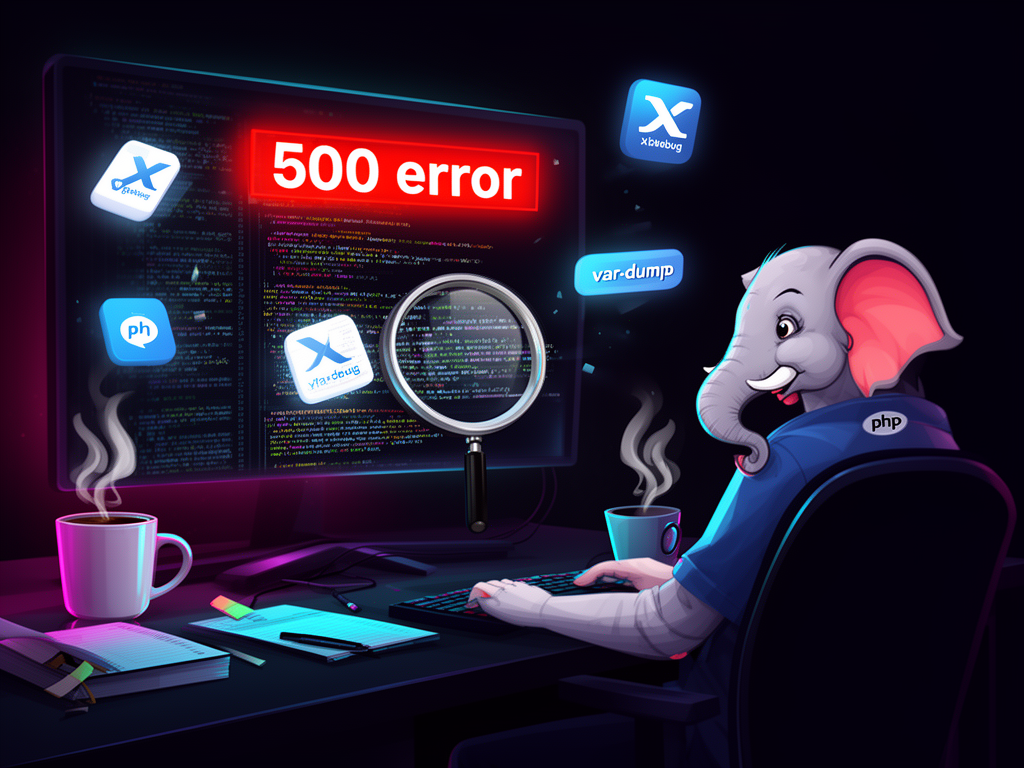
Friends, picture this: it's 2 AM, your coffee's gone cold, and that one endpoint in your Laravel app is throwing a 500 error like it's personal. The logs? A mess of vague notices. The client? Pinging you on Slack. We've all been there—that sinking feeling when a bug turns a simple Tuesday into a debugging marathon. But here's the thing: debugging PHP isn't about superpowers. It's a craft. One you sharpen with the right tools and mindset. And when you do, those late nights become rare triumphs.
I've spent years knee-deep in PHP ecosystems—from WordPress plugins to Symfony backends—and I've learned that good debugging saves your sanity and your deadlines. It's not just fixing code; it's understanding why it broke. Today, let's walk through it together, from quick wins to pro setups. You'll leave with a toolkit that makes you faster, sharper, and less frustrated.
The mindset: Treat bugs like mysteries
Before tools, it's about approach. Bugs hide in plain sight if you rush. Start by isolating the problem. Replicate it. What inputs trigger it? Which line? I remember chasing a memory leak in a custom e-commerce cart—turned out to be an infinite loop in a foreach over a massive array. Hours wasted because I didn't strip the code down first.
- Comment out sections. Run. See what breaks.
- Use a local clone. Tweak without fear.
- Ask: Is it data? Logic? Environment?
Hypothesize, test, repeat. That systematic hunt? It turns chaos into control.
Ever notice how error reporting is your first ally? Crank it up in dev:
ini_set('display_errors', 1);
error_reporting(E_ALL);
Suddenly, those sneaky notices pop up. No more silent failures. But flip it off in production—expose vars there, and you're handing hackers a gift.
Quick and dirty: Built-in functions that save the day
When you're in the trenches, you need speed. Forget fancy IDEs for a sec. Grab var_dump() and print_r(). They're blunt, honest, and everywhere.
$users = fetchUsers();
var_dump($users); // See structure, types, everything
print_r($users, true); // Pretty string for logs
Pro tip: Wrap 'em smart.
error_log(print_r($complexArray, true)); // Logs without screen spam
I once debugged a JSON parse fail this way—turns out UTF-8 encoding was mangling keys. Clean, no tools needed. Just remember: yank them before commit. Messy code screams amateur.
For persistence, error_log() is gold. Pipes issues to files. Review later, no browser refresh hell.
Have you tried Monolog yet? For bigger apps, it's a logging beast—channels for errors, queries, user actions. Retrospective debugging at its finest.
Level up: Xdebug, the PHP debugger's best friend
Now, the game-changer: Xdebug. If PHP had a Swiss Army knife, this is it. Install via pecl or brew, tweak php.ini:
zend_extension=xdebug.so
xdebug.mode=debug,develop
xdebug.start_with_request=yes
xdebug.client_port=9003
Boom. Step debugging. Breakpoints. Stack traces. Variable watches. In PhpStorm or VS Code, it's seamless—hit F5, set a breakpoint, step in (F11), over (F10), out (Shift+F11).
I recall a Symfony project where a middleware was swallowing exceptions. Xdebug paused right there, showed the call stack. Fixed in minutes. Profiling mode? Catches slow queries, loops eating RAM. Less overhead in 3.x—perfect for 2026 workflows.
Alternatives? PhpDbg ships with PHP. Lightweight, scriptable. Or Blackfire for perf dives—flame graphs that scream "optimize this query!".
Static analysis: Catch bugs before they hatch
Why wait for runtime? Tools like PHPStan and Psalm scan your code statically. Find type mismatches, dead code, security holes.
composer require --dev phpstan/phpstan
./vendor/bin/phpstan analyse src
Integrate into CI. Sonarqube or Scrutinizer add metrics, smells. They nag about PSR-12 violations too—clean code prevents half your bugs.
Question for you: How often do you run these? In my teams, we gate merges on zero errors. Game-changer for reliability.
IDE magic and testing: Your safety net
Modern IDEs? VS Code with PHP Debug extension auto-configures Xdebug. PhpStorm? Zero config listening. Set watches, evaluate expressions on the fly.
But don't stop at debuggers. Unit testing with PHPUnit isolates funcs. Write tests first—TDD style. Bug slips in? Tests scream.
public function testUserFetch()
{
    $user = $this->service->fetch(1);
    $this->assertEquals('John', $user->name);
}
Pair it with code reviews. Fresh eyes spot what yours miss. Git blame? Pinpoints regressions.
For Laravel folks, Tinker or PHP Sandbox—interactive shells for snippets. Isolated bliss.
Performance debugging: When slow is the enemy
Bugs aren't just crashes. Slow apps kill UX. Profile with Xdebug, Tideways, or New Relic. Spot N+1 queries? Optimize Eloquent. Bloated loops? Refactor.
Example: A loop fetching user profiles one-by-one. Blackfire showed 80% time in DB calls. Batch 'em—perf doubled.
Prevention: Build bug-resistant code
Debugging's reactive. Prevention? Proactive.
- Git everywhere. Branch, commit often, bisect fails.
- PSR-12 standards. Readability = fewer typos.
- Clean code: Single responsibility. No god classes.
- Environments: Dev spills errors, prod logs silently.
Teams thrive on pair programming. Rubber-duck it out loud. I've fixed more bugs talking to a colleague over screen share than solo staring.
Real-world war stories
Last year, a client's API choked on weekends—peak traffic. Logs blank. Xdebug + Blackfire? Weekend cron job pulling stale cache keys. Cache invalidation fix: Gone.
Another: WordPress plugin crashing on multisite. var_dump revealed serialized data mismatch. Static analysis flagged it pre-deploy.
These aren't hypotheticals. They're scars turned lessons.
Your next steps, fellow dev
Start small: Enable errors, sprinkle print_r, install Xdebug. Build from there. Tools evolve—Xdebug 3.2's lighter, IDEs smarter—but mindset endures.
Debugging PHP feels alive when you own it. Not frantic firefighting, but detective work with quiet wins. That glow when the stack trace reveals truth? Pure developer joy. Keep honing it, and those 2 AM pings become "Hey, it's working great."