Contents
How PHP Works on the Server
Friends, picture this: it's 2 AM, your keyboard's glowing under the desk lamp, and that one endpoint is choking under load. You've got coffee going cold beside you, and the server logs are screaming about timeouts. We've all been there—staring at a PHP app that's supposed to hum along smoothly but feels like it's dragging its feet.
What if I told you most of those headaches come down to how PHP actually works on the server? Not the code you write, but the invisible dance between your scripts, the web server, and the machine breathing life into it all. Today, let's pull back the curtain. We'll walk through the guts of it, from the moment a request hits until your HTML spits out to the browser. No fluff—just the real mechanics that keep 80% of the web running on PHP.
I've lost count of the nights debugging FPM pools or wondering why OPcache wasn't kicking in. Understanding this stuff? It saved my sanity more than once. And if you're hiring or hunting jobs on platforms like Find PHP, knowing server-side PHP inside out sets you apart. Let's dive in.
The Request Hits: Web Server as the Gatekeeper
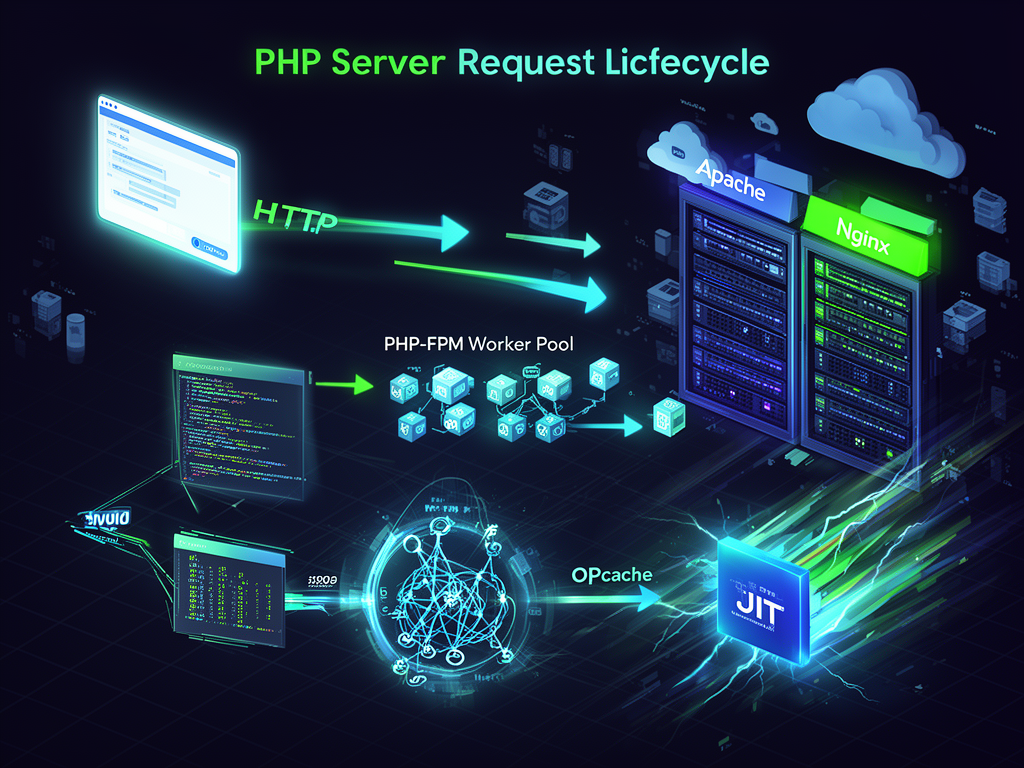
Every story starts with a knock on the door. Your user's browser sends an HTTP request—maybe a GET for a product page, POST with form data. That lands on your web server: Apache or Nginx, the workhorses that listen on port 80 or 443.
Apache's been around forever, mature as your favorite worn-out hoodie. It has mod_php built right in—a module that loads PHP directly into Apache's process. Simple setup: install, enable, done. But here's the catch—every request spawns or reuses an Apache child process running PHP. Memory creeps up under load because it's process-based, not super efficient for high concurrency.
Nginx flips the script. Event-driven, lightweight, it shines with thousands of connections. No native PHP module, though. Instead, it talks to PHP-FPM (FastCGI Process Manager)—a separate daemon managing a pool of PHP worker processes. Nginx passes the request via FastCGI protocol, PHP-FPM picks it up, executes, sends response back. Cleaner separation, better for scaling. Why? Nginx handles static files like a champ (images, CSS), offloading PHP entirely.
Have you ever noticed how Nginx setups feel snappier on busy sites? It's that efficiency. In my last project, switching from Apache/mod_php to Nginx/PHP-FPM cut response times by 40% on moderate traffic.
PHP Wakes Up: From Script to Execution
Okay, request routed. Now PHP enters the stage. Here's the magic—and the misunderstood part.
PHP is interpreted, but smarter than you think. It doesn't read your .php file raw each time. Instead:
- Lexing and Parsing: PHP scans the file, turns code into tokens, builds an abstract syntax tree (AST).
- Compilation to Opcodes: AST becomes bytecode—opcodes, like assembly for the Zend Engine (PHP's core interpreter).
- Execution: Zend Engine runs those opcodes, line by line.
Without caching, this happens every request. Brutal on CPU. Enter OPcache—enabled by default in PHP 8.0+. It stores precompiled opcodes in shared memory. Second request? Boom, cached. Hit rates near 100% mean 2-3x speedups. I remember tweaking opcache.memory_consumption=256 on a VPS—traffic doubled, no sweat.
Modern twists? PHP 8+ brings JIT (Just-In-Time compilation). Selects hot code paths, compiles to machine code on the fly. Not magic for all apps, but killer for compute-heavy ones like image processors.
What about state? Traditional PHP is stateless. Each request gets a fresh process (or cleaned slate). No hanging variables between calls—sessions go to files, Redis, or Memcached. Makes horizontal scaling a breeze: spin up servers behind a load balancer, no shared memory worries.
PHP-FPM: The Heart of Modern Deployments
PHP-FPM deserves its own spotlight. Forget mod_php's baggage—FPM is the go-to for production.
It runs as a master process spawning worker pools: static (fixed count), dynamic (scales with load), or ondemand (spins up only when needed). Tune pm.max_children, pm.start_servers, pm.min_spare_servers in your pool config. Too few? Queue backs up. Too many? Memory balloons.
Example config snippet I swear by:
pm = dynamic
pm.max_children = 50
pm.start_servers = 5
pm.min_spare_servers = 5
pm.max_spare_servers = 35
Under high load, this keeps things humming without starving the OS. Pair with pm.max_requests=1000 to recycle workers, dodging memory leaks from sloppy extensions.
Databases? PHP connects via PDO or mysqli. For scale, persistent connections (pdo_mysql.default_socket) or pools. But watch connection storms—use queues for heavy lifting.
Not all servers are equal. Pick wrong, and your app crawls.
- Shared Hosting: Cheap for blogs. Everyone shares the PHP pool. Fine for low traffic, nightmare for anything spiky.
- VPS/Dedicated: Your rules. Full FPM control, OPcache tweaks. I run most side projects here.
- Containers (Docker): Bake PHP + Nginx + FPM into images. Consistent deploys, scale with Kubernetes.
- Cloud (AWS, GCP): Auto-scale groups, serverless like AWS Lambda with Bref. PHP 8.2+ flies here.
New kids: RoadRunner, FrankenPHP, OpenSwoole. These are PHP application servers—persistent workers, async I/O. RoadRunner keeps workers alive, slashing bootstrap time. Great for APIs, but debugging gets tricky with state lingering. Traditional FPM? Simpler, stateless bliss.
| Traditional (FPM/mod_php) | Modern App Servers (RoadRunner/Swoole) |
|---|---|
| Per-request process | Persistent workers |
| Easy horizontal scale | Vertical scale, needs Redis for state |
| Mature debugging | Async complexity |
| Low learning curve | High perf, but adapt code |
Monoliths bundle it all; microservices split services. For PHP, Laravel/Symfony shine in modular setups—bounded contexts keep things sane.
Optimization: Making It Sing
You've got the basics. Now squeeze every drop.
Memory: memory_limit=512M per script, but watch FPM totals. Too high? Swap thrashing.
Extensions: Core like PDO, GD, but audit—unused ones bloat.
Caching Layers:
- OPcache for code.
- Redis/Memcached for sessions, objects.
- Varnish or CDN for full pages.
Database smarts: Indexes on hot queries, prepared statements ($stmt->execute($params)), read replicas. Profile with EXPLAIN or Blackfire. One tweak—indexing user_id on orders—shaved 200ms off a Laravel e-com site.
Scalability? Load balancers + horizontal scale. Stateless sessions in Redis. Queues (RabbitMQ, Laravel Horizon) for emails, reports. Offload statics to CDN. PHP handles millions if you layer right.
Beyond Basics: Real-World Gotchas and Wins
Ever hit "zend_mm_heap corrupted"? Rogue extensions or leaks. Tools like Tideways or New Relic pinpoint it.
Security: Suhosin (old), but now Runkit7 or just sane configs. Never allow_url_fopen unless needed.
Upgrades? Test PHP 8.3 on staging. JIT, attributes, readonly classes—gains compound.
I recall a client site: 10k users/day, spiking to 50k. Swapped to PHP 8.2 + FPM + Redis. Costs halved, uptime 99.99%. Quiet win.
Questions for you: What's your biggest server pain? FPM tuning? Async shift? Experiment—tweak one thing, measure.
Choosing Your Stack Wisely
Back to hiring or being hired on Find PHP. Interviewers love "explain PHP request lifecycle." Answer with FPM flow, OPcache, you'll stand out.
For big apps, modular wins: Hexagonal arch, Symfony bundles for domains. Keeps code clean, servers happy.
In the end, PHP on the server isn't glamorous. It's reliable grind work. Master it, and those late nights turn into smooth sails—watching logs stay green, users happy, code alive.
That quiet confidence? It sticks with you long after the deploy.