Contents
- 1 PHP Development Workflow Explained
- 1.1 The foundation: Why workflow matters more than you think
- 1.2 Source control: The nervous system of your team
- 1.3 Coding standards: The language everyone speaks
- 1.4 Documentation: Talking to your future self
- 1.5 Testing: Writing tomorrow's confidence
- 1.6 Deployment: The moment of truth
- 1.7 Collaboration: How humans actually work together
- 1.8 Workflow tools that actually help
- 1.9 Building a workflow that fits your reality
- 1.10 The feeling of a good workflow
PHP Development Workflow Explained
There's a moment—usually around 2 AM on a Thursday—when you realize your entire day of coding hinges on something you thought was obvious. A deployment breaks production. A teammate commits code without running tests. Documentation that nobody wrote becomes the thing everyone desperately needs. These aren't failures of individual developers. They're failures of workflow.
A workflow isn't just a checklist you follow because management demands it. It's the invisible structure that lets a team of talented people actually work together instead of crashing into each other. It's the difference between shipping code with confidence and shipping code with your fingers crossed.
I've watched PHP teams thrive and I've watched them collapse. The difference almost never comes down to how smart the developers are. It comes down to whether they've built a workflow that scales with their ambitions.
The foundation: Why workflow matters more than you think
Let me be direct. You can be a brilliant programmer. You can write code that's clean, efficient, and clever. But if you're working in isolation—if you don't know what your teammate changed last week, if your code goes straight to production with no review, if nobody documents anything—you're building a house on sand.
A solid workflow solves real, painful problems. It answers the questions that keep teams stuck:
- How do I know what changed and who changed it?
- How do I get the latest code without stepping on someone's work?
- How do I push my updates out so others can use them?
- How do I know the old version still exists if something breaks?
- How do I prevent someone from deploying broken code?
These aren't philosophical questions. They're survival questions. A workflow that answers them is the difference between a team that ships and a team that struggles.
Source control: The nervous system of your team
Let's start with source control. If your team isn't using it consistently, stop reading this article and fix that first. Seriously.
Source control is where everything lives. Your code, your history, your safety net. It's the shared memory of what your team has built. Without it, you're working on scattered copies of files, emailing code snippets, overwriting each other's work, and praying you remember what you changed three days ago.
How this actually works:
You create a repository—your central hub. Each developer works on a local copy. When you make changes, you record them in your repository. Your teammates do the same. The repository becomes a living timeline of your project.
The beauty is in the history. When something breaks, you don't just curse. You look back. You see exactly what changed, who changed it, when it changed, and why. You can revert to an older version. You can understand the reasoning behind a decision made months ago.
There are two main philosophies here, and both work—it depends on your team's size and structure.
Distributed systems (like Git) let developers work independently, then share changesets between repositories. This feels more flexible, more modern. Everyone has their own backup. If the main server dies, you're fine. If you're working offline, you keep coding. This approach powered Linux kernel development for a reason.
Centralized systems (like Subversion) have everyone working from a single central repository. You check out code, make changes, check them back in. This is simpler to understand and manage. It's easier to enforce policies. If your team is small or you need tighter control, this is honestly fine. Don't let anyone make you feel bad about choosing Subversion in 2026.
Whichever you choose, the principle is the same: never edit files directly on your production server. Never. The number of teams I've seen lose hours of work because someone SSH'd into production and changed something by hand is… well, let's say it's more than zero. Always work through your repository. Always.
Coding standards: The language everyone speaks
Here's something most developers underestimate: coding standards are not about control. They're about communication.
When you and I sit down to pair on code, we need to be able to read each other's work immediately. We need to know where to find things. We need to understand the naming conventions so we can predict what a variable means. This is especially true in PHP, where the language itself is so flexible that without standards, every developer creates their own dialect.
Don't invent your own standard. I know your code is special. I know you have unique insights. But you are not special enough to justify every developer on your team learning a different style. Use an established standard. Seriously.
PHP Standard Recommendations (PSRs) exist for exactly this reason. PSR-1 and PSR-12 cover coding style. PSR-4 covers autoloading. PSR-7 covers HTTP message interfaces. These aren't arbitrary. They're distilled wisdom from the PHP community—decisions made by thousands of developers about what actually works.
Some practical things that matter:
- Keep your lines between 75-85 characters. Yes, really. Longer lines are harder to read, harder to debug side-by-side, harder to blame in Git. Shorter lines feel constrained at first, then feel natural.
- Use braces on all control structures. No one-liners. A one-liner looks clever for 30 seconds, then it looks like careless code that breaks easily.
- No shell-style comments (
#). Use//instead. It matters less than you think, but consistency matters more than which specific choice you make.
The goal isn't beauty. The goal is clarity. Code that everyone can read quickly, without having to decode someone's personal style choices.
Documentation: Talking to your future self
You know what happens when nobody documents code? Ask me how I know.
Six months from now, you'll look at something you wrote and think, "Why did I do this?" You won't remember. Nobody else will either. The original reasoning—the trade-off you made, the constraint you hit, the reason you didn't use the obvious solution—will be gone.
Documentation doesn't have to be a novel. It has to be useful.
Source-level documentation is for other developers. Use PHPDocumentor syntax. Write the @param and @return tags. Document what your method does, what it expects, what it produces. Yes, it feels repetitive when you write it. It feels like salvation when you read it six months later.
Here's something that matters more than people realize: properly documenting return types enhances the experience for IDE users. Many modern IDEs introspect doc tags to infer information about your source. When you document properly, your IDE can help you. When you don't, it can't. It's not about being thorough—it's about activating tools that can make your work faster.
Organize your code with intention. Use @category, @package, and @subpackage tags. Prefix your classes with a namespace or vendor name. This creates structure that developers can navigate.
End-user documentation is different. It's for people using your application, not people reading your code. Tools like DocBook help here. It's out of scope for this article, but don't forget it exists.
Testing: Writing tomorrow's confidence
There's a moment when you deploy code to production. Your pulse quickens slightly. Did I test everything? Did I miss an edge case? Is this going to break?
That feeling is what testing eliminates.
Test-driven development is a discipline worth learning. Write the test first. Write a test for behavior that doesn't exist yet. Watch it fail. Now write code to make it pass. Then refactor to keep your code clean. Repeat.
It feels backwards at first. Doesn't it make more sense to write the code, then test it? No. Testing afterwards, you're testing what you built. Testing first, you're thinking about what you should build. It changes how you think about problems.
The benefits compound: your code becomes more modular (because it has to be testable), you catch bugs earlier, you can refactor with confidence, you have a living specification of how your code should behave.
What kinds of testing matter?
- Unit testing verifies that individual methods work correctly in isolation. Does this calculation function return the right answer? Does this validation method correctly reject bad input?
- Integration testing verifies that different parts of your system work together. Does the User model correctly interact with the database? Does the payment service integrate with the payment gateway?
- Functional testing simulates actual user interaction. Can someone register, log in, complete a purchase?
- Continuous integration automatically runs your tests on every commit. You break the build, you know immediately.
Aim for high code coverage. Not 100%—that's usually overkill and creates busywork. But 80%+? That's real. That's the difference between "I hope this works" and "I know this works."
Deployment: The moment of truth
This is where everything converges. This is where your workflow is actually tested.
Never edit files on a production server. I know I said this before. It bears repeating because it's the single most common mistake teams make. Every manual change is a hidden change. Nobody else knows it happened. It won't be in your repository. It can't be reproduced. If the server dies, it dies with it.
Deploy from repository tags. When you're ready to release, you tag a specific commit. You deploy that tag, not some arbitrary branch. Tag means "this version is real, this version is released."
Don't go directly from development to production. Use a staging environment that mirrors production as closely as possible. Test there first. Verify that everything works in an environment that matches production. Only then move to live.
Establish a Deployment Release Procedure. Write it down. Make it repeatable. Make it automatable. No guessing, no improvisation, no "I remember how to do this."
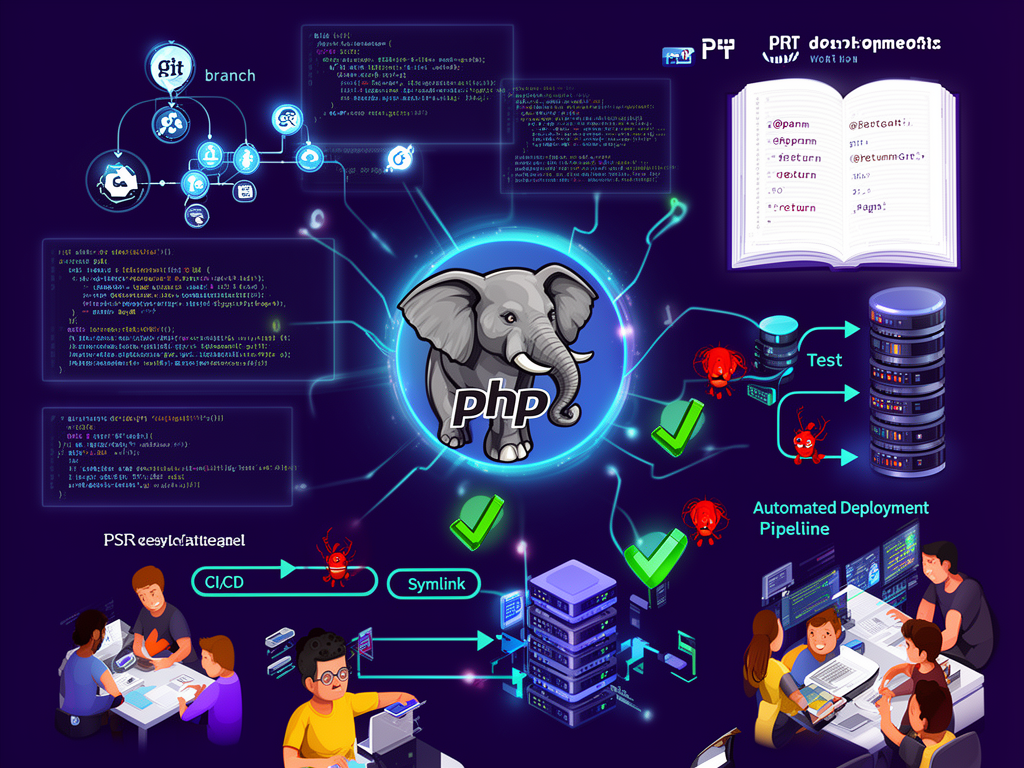
Here's a technique that works: instead of overwriting files directly, use symlinks. Your new deployment goes into a new directory. Once you verify everything is there and correct, you switch the symlink to point to the new version. If something breaks, you just switch back. Instant rollback.
Better yet: write scripts to automate the entire process. No human intervention after you hit "start." Build the application, run acceptance tests, deploy, run integration tests, verify the deployment. All of it without a human touching the production server.
Tools like Capistrano help with this. So do container systems like Docker. The specific tool matters less than the principle: automation eliminates opportunities for human error.
After deployment, keep watching. Use server management tools like Supervisord to continuously monitor what you've deployed. Run your tests on a schedule. Not once—repeatedly, forever. An application can be correct when you deploy it and broken three hours later because something external changed, a database filled up, a cache expired, a third-party API changed.
Collaboration: How humans actually work together
Code is written by individuals. Software is built by teams. This transition—from individual to team—is where most things break.
Different kinds of communication serve different purposes. The workflow that actually works understands this.
Instant messaging is for quick questions. "Can you review this?" "Where's the database password?" It's immediate, back-and-forth, real-time. But it's ephemeral. Nobody has a record. It's not suitable for decisions that matter or conversations that need history.
Email is for things that matter. Important decisions, documentation that needs to exist, conversations with history. Decisions that should be documented go here, not into Slack. Something important happened? Email. It forces clarity and creates a record.
Voice and video is for getting to know people. It's for complex explanations that need immediate feedback. It's for meetings that can't be emails. But use it intentionally. Not every conversation needs to be a meeting.
One thing to remember: hearing something is different from reading it. You might hear something as casual; reading it, it seems harsh. This is why important decisions shouldn't be made in IM. Tone is too easily misunderstood.
Workflow tools that actually help
Let me mention a few specific tools because they show up in good workflows.
Trac (mentioned in the search results) is a project management tool that integrates with your repository. You can see your timeline—what changed, when, by whom. You can create reports on project status. You can define roadmaps and milestones, attach issues to them, watch progress as tickets open and close. It connects your code to your planning in real time.
Git has become the standard for a reason. It's distributed, it's fast, it's flexible. Most teams use GitHub or GitLab or Gitea to host repositories. These add collaboration features—pull requests, code review, CI integration.
Testing frameworks like PHPUnit exist specifically to make testing manageable. They're not optional. They're the infrastructure that makes testing actually sustainable.
The specific tools matter less than the principles. You want tools that:
- Connect your code to your planning
- Make testing automatic
- Make deployment safe and repeatable
- Create a record of what happened and why
- Facilitate communication without forcing constant synchronous interaction
Building a workflow that fits your reality
I want to be honest: there's no perfect workflow that works for every team. A workflow for a two-person startup looks different from a workflow for a 50-person organization.
But the principles are universal. Source control. Standards. Documentation. Testing. Automation. Communication with intention.
When you're evaluating a workflow or building one for your team, ask these questions:
- Can we see exactly what changed, when, and why?
- Can we confidently deploy without fear of breaking things?
- Can we roll back quickly if something goes wrong?
- Can new team members understand how things work?
- Can we work asynchronously, or does everything require real-time synchronization?
- Do we have confidence that code reaching production has been tested?
If you can answer "yes" to all of these, you have a real workflow. You can scale. You can sleep well.
The feeling of a good workflow
Here's what a good workflow feels like. You deploy code at 10 AM. Nobody's anxious. You don't watch the logs nervously. You go back to writing the next feature. The code works, obviously it works, you tested it. Your teammate reads your code and immediately understands it—the standards are clear, the documentation explains the why. Someone finds a bug from three months ago—you look at Git, you see exactly what changed, why the decision was made. You fix it in three minutes.
You're not thinking about the workflow. You're just working. That's when it's right.
A good workflow is invisible until it's missing. When it's missing, suddenly everything is friction. Nothing is clear. Deployments are scary. Code review is difficult. Onboarding new people takes forever. You spend more time managing chaos than building features.
This is worth avoiding. It's worth taking the time now to establish source control, to agree on standards, to write tests, to document decisions, to automate deployment. The payoff compounds over months and years.
You're not being slowed down by doing these things carefully. You're being accelerated. You're trading small frictions now for massive smoothness later. And the earlier you start, the more natural it becomes.
The workflow you build today becomes the culture you live in tomorrow. Make it thoughtful, make it human, and it will let you do the best work of your career.