Contents
- 1 PHP Coding Standards Explained
- 1.1 The difference between code that works and code that lasts
- 1.2 What are PSR standards, and why do they matter?
- 1.3 The practical foundation: indentation, spacing, and line length
- 1.4 Naming conventions: making your code readable
- 1.5 Function arguments and declarations: clarity through consistency
- 1.6 Type hinting and strict typing: being explicit
- 1.7 Comments: the often-forgotten standard
- 1.8 The role of namespaces and encapsulation
- 1.9 PSR standards in practice: what your team should actually do
- 1.10 Why this matters more than it seems
- 1.11 Moving forward: which standard should you choose?
- 1.12 The quiet satisfaction of clean code
PHP Coding Standards Explained
I remember the first time someone reviewed my code and said, "This won't work with our standard." I'd been writing PHP for three years. I thought I knew what I was doing. My functions worked. My logic was sound. But the way I'd structured it, the inconsistencies in my naming conventions, the way I'd scattered my variables across the codebase — none of it mattered to a team that had agreed, collectively, on how things should look.
That conversation changed how I think about code. Not just as something that runs, but as something that lives within a team. And that's what coding standards really are: they're not rules imposed by tyrants in ivory towers. They're agreements. Shared languages. The difference between a codebase that feels like a conversation and one that feels like archaeology.
PHP coding standards matter more than most developers realize. They're the invisible infrastructure that separates a project you can work on at 3 PM on a Tuesday from one that makes you want to quit on a Friday.
The difference between code that works and code that lasts
When you're alone in a project, you don't really think about standards. You write something, it runs, you move on. But the moment another person touches your code — or the moment you return to it six months later and barely recognize it — the lack of standards becomes a weight.
Here's the thing: code is read far more often than it's written. You might spend an hour writing a function, but someone (maybe you) will spend twenty hours reading it, understanding it, debugging it, extending it. If those twenty hours are spent squinting at inconsistently formatted code, trying to guess what a variable name means, or wrestling with indentation that looks different on every file, you've just multiplied the cognitive load by ten.
That's where standards enter the picture. They're not about perfection or aesthetics. They're about reducing friction. They're about making code predictable enough that your brain can focus on the logic, not the formatting.
Think of it this way: a well-formatted book is easier to read than one with random font sizes and inconsistent spacing. Your eyes don't have to work as hard. The same principle applies to code.
What are PSR standards, and why do they matter?
The PHP Standard Recommendation, or PSR, is the closest thing PHP has to a universal constitution. It's maintained by the PHP Framework Interop Group (PHP-FIG), and it's become the de facto standard across the entire ecosystem.
You don't need to memorize all of them. There are about twenty PSRs at any given time, each addressing a specific area of PHP development. But the ones that matter most for day-to-day coding are PSR-1 and PSR-2.
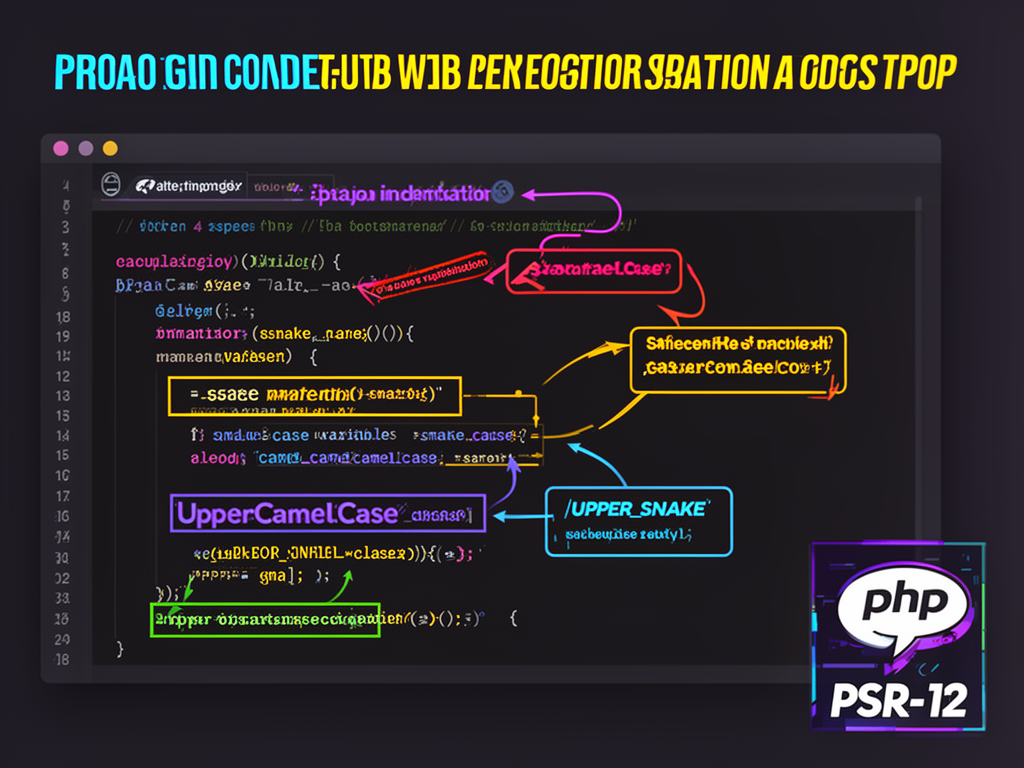
PSR-1 is the basic coding standard. It's the foundation. It says things like: use <?php or <?= tags only — never the shorthand <? ?>. It dictates that class names should be written in UpperCamelCase, method names in camelCase, and constants in UPPER_SNAKE_CASE. These are the fundamentals that make PHP code recognizable as PHP code.
PSR-2 builds on PSR-1 and adds a layer of styling guidance. It specifies indentation (4 spaces, never tabs), how to structure control structures, how much whitespace should surround operators. It's more opinionated than PSR-1, but it's also more practical.
Later, PSR-12 came along as an extended version of PSR-2, adding more modern guidance for things like parameter formatting and strict typing. If you're starting a new project today, PSR-12 is probably what you should follow.
The practical foundation: indentation, spacing, and line length
Let me give you something concrete. These aren't abstract principles. These are the actual rules you'll encounter.
Indentation: Use 4 spaces. Not 2, not tabs, not whatever your editor defaults to. Four spaces. I know this sounds like pedantry. It isn't. When you're jumping between projects that use different indentation, your brain gets disoriented. It's like switching between English and French mid-sentence. The 4-space standard is now so universal that it's worth adopting.
Some frameworks (like Backdrop or Drupal) use 2 spaces, but the broader PHP community has settled on 4. Unless you're working within an established framework with its own standards, stick with 4.
Line length: There's no hard limit, but the recommendation hovers around 80–120 characters per line. Why? Because lines that are too long become hard to read. You're scanning left to right, right to left, and your eyes get tired. Long lines also break on smaller screens and make side-by-side code reviews painful. When you find yourself writing lines longer than 120 characters, that's often a signal that you should break something into multiple lines or refactor.
Spacing around operators: This one's simple and concrete. Binary operators (+, -, =, !=, etc.) should have a space before and after them. So write $total = 15 + 7;, not $total=15+7;. The spaces make the logic clearer. Your brain parses it faster.
Naming conventions: making your code readable
One of the first things I noticed when I started following standards was how much easier it became to understand someone else's code. And it was almost entirely because of naming.
Variables: Use lowercase with underscores separating words. Write $welcome_message, not $welcomeMessage or $welcome_msg or $WelcomeMessage. This is called snake_case, and it's the PHP convention. Your future self will thank you for this clarity.
Constants: Use uppercase with underscores. WELCOME_MESSAGE, not welcome_message. The moment you see a constant in all caps, you know it's something that doesn't change. This visual distinction is automatic. It's muscle memory for your eyes.
Functions and methods: Use camelCase. getUserData(), not get_user_data() or GetUserData(). The first letter is lowercase, and each subsequent word starts with a capital letter. This convention originated in object-oriented PHP and has stuck around.
Class names: Use UpperCamelCase (also called PascalCase). UserRepository, not user_repository. This distinguishes classes from functions at a glance.
Why does this matter? Because when you're skimming code at 2 AM trying to find a bug, these visual patterns are lifelines. You can instantly tell whether something is a variable, a constant, a function, or a class. Your brain doesn't have to work harder; it just knows.
Function arguments and declarations: clarity through consistency
Functions are where a lot of the visual noise happens. If you get this right, your code suddenly feels disciplined.
When calling a function, there should be no space between the function name and the opening parenthesis, but there should be a space after each comma:
$result = foo($bar, $baz, $quux);
Not:
$result = foo ($bar,$baz,$quux);
The first version is clean. The second makes your eyes work harder.
When declaring a function, follow what's called the BSD/Allman style: the opening brace goes on the same line as the function declaration, not on its own line.
<?php

function processUser($name, $email = '') {
    if ($name) {
        // do something
    }
    return $result;
}
This is consistent across most PHP standards. It's not the only way to do it, but it's the agreed-upon way.
For longer argument lists, place each argument on its own line, indented, and order them from required to optional, then from high to low importance:
<?php

my_function(
    $required_arg,
    $important_optional = 'default',
    $less_important = 100
);
This breaks the code into a vertical list rather than a horizontal stream. It's much easier to read, and it makes diffs cleaner when you're reviewing changes in version control.
Type hinting and strict typing: being explicit
This is where modern PHP standards start to feel less like style guides and more like genuine architectural decisions.
Type hinting means you declare what type of data a function expects and returns. Instead of writing:
<?php

function add($a, $b) {
    return $a + $b;
}
You write:
<?php

function add(int $a, int $b): int {
    return $a + $b;
}
The second version is explicit. It tells anyone reading the code (including the PHP engine) what types are expected. If someone passes a string where an integer is required, PHP will throw an error. This prevents bugs before they happen.
Strict typing takes this further. At the top of your PHP file, add:
<?php

declare(strict_types=1);
This tells PHP to enforce strict type checking. It's a small line, but it's powerful. It's also becoming more and more expected in modern PHP codebases.
Comments: the often-forgotten standard
Standards aren't just about formatting; they include how you communicate through comments.
Use C-style comments for multi-line explanations and single-line comments for quick notes:
<?php

// Quick note about what comes next
$user = getUser($id);

/*
 * Multi-line comment explaining a complex operation.
 * This is where you'd explain the "why" behind your code,
 * not the "what" — the "what" should be obvious from the code itself.
 */
$processed = processUser($user);
Avoid Perl/shell style comments (#) in production PHP code, even though PHP supports them. It's not because there's anything wrong with them; it's just that the community has agreed on C-style comments as the standard.
The real principle here is: comments should explain why, not what. The code shows what it does. Comments should tell you why it does it that way.
The role of namespaces and encapsulation
One of the most transformative standards in modern PHP is the strict use of namespaces. This prevents what's called name collision — the problem of two different pieces of code trying to use the same function or class name.
<?php

namespace App\Users;

class Repository {
    public function find($id) {
        // Find a user by ID
    }
}
By organizing code into namespaces, you create clarity about where things live. Different teams or modules can use similar class names without conflict. It's a simple idea with profound effects on code organization.
Avoid global variables and functions whenever possible. Global state makes code harder to test, harder to reason about, and easier to break. Instead, use dependency injection — pass dependencies into your classes and functions rather than relying on global state:
<?php

class UserService {
    private $repository;

    public function __construct(Repository $repository) {
        $this->repository = $repository;
    }

    public function getUser($id) {
        return $this->repository->find($id);
    }
}
This approach is more verbose, but it's infinitely more maintainable. Your code becomes testable. The dependencies are explicit. Future developers (and future you) can immediately see what this class needs to function.
PSR standards in practice: what your team should actually do
Knowing the standards is one thing. Living by them is another. Here's what actually works:
Start with a linter. Tools like PHP CodeSniffer or PHPStan will automatically check your code against standards. Most modern IDEs can integrate these tools, so violations get flagged in real time as you type. This takes the guesswork out of whether you're following the standard.
Use a formatter. Tools like PHP-CS-Fixer will automatically fix formatting issues for you. Write your code, run the formatter, commit. This removes the friction of manually adjusting spacing and indentation. It's like having a copy editor who works for free.
Document your team's standard. If your team deviates from PSR-12 (maybe you use 2-space indentation, or you have opinions about where braces go), write it down. Make it a file in your repository. New developers can read it in five minutes, and everyone stays aligned.
Enforce it in code review. When standards are just suggestions, people ignore them. But when they're part of your review process — when a pull request gets comments like "Let's format this according to standard" — they become real.
Why this matters more than it seems
I spent years thinking coding standards were bureaucracy. Rule-following for the sake of rules. I was wrong.
Standards are about team velocity. They're about being able to jump into a codebase written by someone else and understand it within minutes, not hours. They're about junior developers having a clear framework for how to write code. They're about senior developers not having to spend energy on formatting arguments in code reviews.
When a codebase follows standards consistently, it feels like it was written by one person over a long period of time, not by dozens of people with different habits. That coherence is worth more than any individual's stylistic preference.
I've worked on codebases that ignored standards, and I've worked on codebases that followed them religiously. The difference isn't just in readability — it's in developer morale. Standardized code feels professional. It feels cared for. It signals that someone thought about how this would be maintained.
Moving forward: which standard should you choose?
If you're starting a new project and you have freedom to choose, follow PSR-12. It's modern, it's widely adopted, and it includes guidance for type hinting and strict typing — the direction PHP is moving in.
If you're joining an existing project, follow what the project already uses. Consistency within a project is more important than consistency with the broader PHP community. Ask your team for their standard, read it, and follow it. If they don't have one written down, that's actually a good signal that you should probably suggest starting one.
If you're working with a framework like WordPress, Drupal, or Symfony, each has its own standards that extend or diverge from PSR in small ways. Learn what your framework expects and follow that. The framework's standards were designed specifically for how that framework works.
The quiet satisfaction of clean code
There's something deeply satisfying about code that follows standards. You scroll through a file and everything is where you expect it to be. Indentation is consistent. Variable names make sense. Functions are reasonably sized. Comments explain the why without stating the obvious.
It's not flashy. It doesn't make your code run faster or add features. But it creates an environment where good work can happen — where bugs are easier to find, where new features are easier to add, where onboarding new developers becomes a process instead of a nightmare.
Standards are the foundation of maintainable code. They're the agreement that says: we respect this codebase enough to keep it readable. We care enough about the next person who touches this file to make their job easier. We understand that code is a conversation across time, and we're going to write clearly.
That's the real value. Not the rules themselves, but what the rules represent: a commitment to craft, to clarity, and to the people who'll work on this code long after you've moved on to something else.