Contents
- 1 PHP Deployment Basics
- 1.1 Why Deployment Feels Like Heart Surgery
- 1.2 Local To Staging: Your First Safety Net
- 1.3 Version Control: Git As Your Time Machine
- 1.4 Building Your Deploy Package
- 1.5 Servers And Runtimes: Where PHP Meets Metal
- 1.6 Zero-Downtime Deploys: The Art Of Grace
- 1.7 Databases: The Silent Killer
- 1.8 Monitoring And Rollbacks: Eyes Open
- 1.9 CI/CD: Automate The Boring
- 1.10 Common Pitfalls I've Bled Over
- 1.11 Scaling PHP Deploys In 2026
- 1.12 Wrapping It Up, Quietly
PHP Deployment Basics
Hey, fellow developers. Picture this: it's 2 AM, your code's finally humming along in dev, tests pass with that satisfying green glow. You push the button. And then… crickets. The site goes dark. Heart sinks. We've all been there. Deployment isn't just a technical step—it's that raw moment when your late-night commits meet the real world. For PHP folks, it's equal parts ritual and tightrope walk.
I've shipped countless PHP apps over the years, from scrappy WordPress sites to enterprise Laravel beasts scaling to millions. Deployment basics? They're the unsung heroes keeping our code alive. Not the flashy frameworks or AI hype— just solid, repeatable processes that let you sleep at night. Let's unpack this together, step by step, with the scars and wins I've collected.
Why Deployment Feels Like Heart Surgery
Ever wonder why a simple git push can turn into a war story? PHP's server-side nature means every deploy touches live databases, configs, and traffic. One wrong env var, and users see errors. Boom—trust gone.
But here's the quiet truth: master basics, and you build muscle memory for bigger battles. No more "it works on my machine" excuses. We're talking reliability that scales with your career. Readers on Find PHP, hunting jobs or gigs—this is your edge. Hiring managers love devs who deploy without drama.
Local To Staging: Your First Safety Net
Start small. Never deploy straight to prod. That's amateur hour.
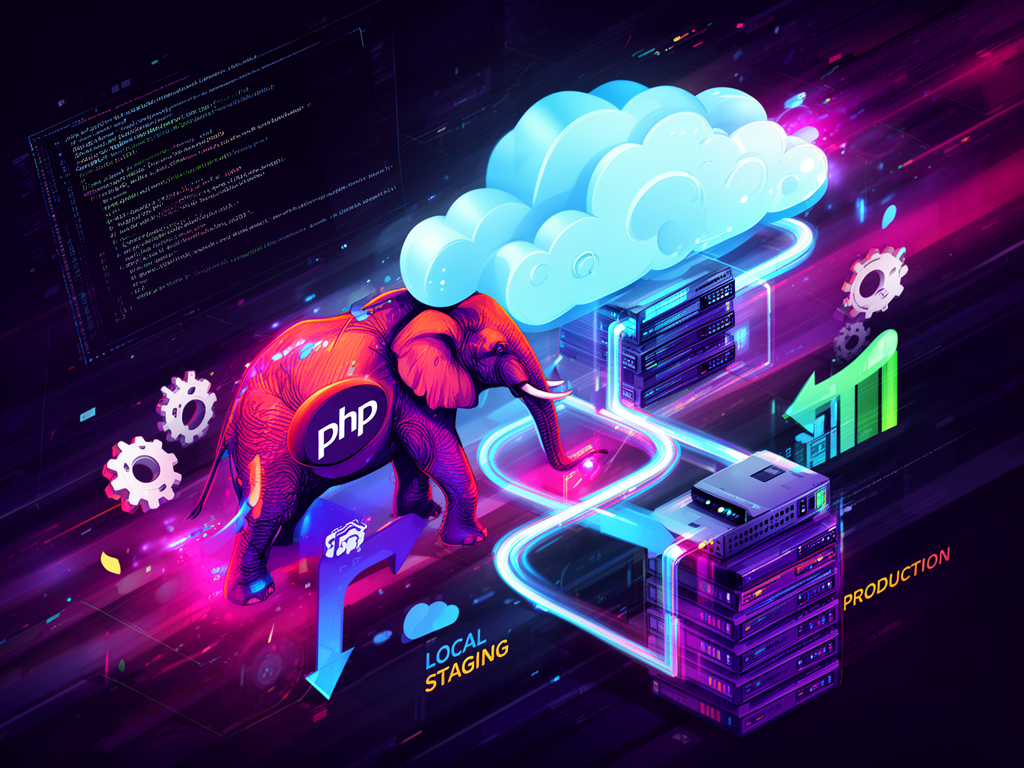
Set up environments like this:
- Local: Your dev machine. Composer, Xdebug, the works. Tweak freely.
- Staging: Mirrors prod. Same server specs, real-ish data (anonymized). Test here first.
- Production: The real deal. Locked down, monitored.
I remember a midnight deploy gone wrong—forgot to swap database creds from staging. Users' carts emptied. Lesson? Use tools like Laravel Forge or plain Docker to clone environments pixel-perfect.
Quick checklist before staging:
- Run
composer install --no-dev --optimize-autoloader. - Lint with
php-cs-fixer fixor Psalm for static analysis. - Unit tests:
phpunit --coverage. - Browser tests? Cypress or Dusk.
Feels tedious? It is. Until it saves your ass.
Have you ever watched a staging deploy fail and thought, "Thank god"? That's the win.
Version Control: Git As Your Time Machine
No Git? Stop reading. Fix that now.
PHP deploys thrive on branches. Feature branches for new work, develop for integration, main for prod.
A sane Git flow:
git checkout -b feature/user-auth
# code, commit, PR
git checkout develop
git merge feature/user-auth
# tests pass? Deploy to staging
git checkout main
git merge develop
# prod deploy
Use tags for releases: git tag v1.2.3. Revert disasters with git revert or git reset --hard.
Pro tip: Signed commits with GPG. Builds trust, especially on open-source gigs you'll find via Find PHP.
Building Your Deploy Package
PHP apps aren't monoliths. Optimize the artifact.
Essentials:
composer.lock: Locks deps. Never commit without it.- Remove dev deps:
--no-dev. - Opcache preloading: Add
opcache.preload=/path/to/App.phpin php.ini. - Assets:
npm run buildfor JS/CSS if using Vite or Mix.
For a Laravel app, your deploy script might look like:
#!/bin/bash
cd /var/www/myapp
git pull origin main
composer install --no-dev --optimize-autoloader
php artisan config:cache
php artisan route:cache
php artisan view:cache
php artisan migrate --force
php artisan queue:restart
Save this as deploy.sh, chmod +x, run it. Boom—deployed.
Short sentence for punch: Test it on staging first.
Servers And Runtimes: Where PHP Meets Metal
Okay, environments locked. Now, the iron. PHP deploys to Apache, Nginx, or containers. Pick based on scale.
For side projects or client sites—cPanel, FTP. Meh, but functional.
Steps:
- Zip your code (exclude
.git,node_modules). - Upload via FTP.
- Unzip,
composer install. - Point domain.
Drawbacks? No SSH. Scales poorly. Fine for WordPress, risky for custom apps.
VPS: Your Playground
Linode, DigitalOcean, Vultr. $5/month gets you root.
Nginx + PHP-FPM setup (Ubuntu):
sudo apt update
sudo apt install nginx php8.3-fpm php8.3-mysql php8.3-redis php8.3-bcmath
sudo nano /etc/nginx/sites-available/myapp
Config snippet:
server {
    listen 80;
    server_name example.com;
    root /var/www/myapp/public;

    location / {
        try_files $uri $uri/ /index.php?$query_string;
    }

    location ~ \.php$ {
        include snippets/fastcgi-php.conf;
        fastcgi_pass unix:/run/php/php8.3-fpm.sock;
    }
}
sudo ln -s /etc/nginx/sites-available/myapp /etc/nginx/sites-enabled/sudo systemctl restart nginx php8.3-fpm
Feels powerful? It is. SSH in, git pull, run scripts. I once debugged a memory leak here at 3 AM—top and strace saved the day.
Containers: Docker For Sanity
2026, and Docker's still king for PHP. Reproducible, portable.
Dockerfile example (Laravel):
FROM php:8.3-fpm

RUN apt-get update && apt-get install -y libpng-dev libonig-dev libxml2-dev zip unzip
RUN docker-php-ext-install pdo_mysql mbstring exif pcntl bcmath gd

COPY --from=composer:latest /usr/bin/composer /usr/bin/composer
WORKDIR /var/www
COPY . .
RUN composer install --no-dev --optimize-autoloader
CMD ["php-fpm"]
docker-compose up --build. Deploy with docker-compose -f production.yml up -d.
Pair with Docker Swarm or Kubernetes for orchestration. Overkill for solos? Sometimes. But when you hire out via Find PHP, clients expect it.
Zero-Downtime Deploys: The Art Of Grace
Nobody likes 404s during updates.
Blue-green deployments: Two identical prod envs. Deploy to blue (inactive), swap router. Roll back? Swap back.
Tools:
- Envoyer (Laravel-specific, zero-downtime magic).
- Deployer.org: PHP-first.
dep deploy production.
Install: composer global require deployer/deployer
recipe/laravel.php handles migrations, caches, queues. Run dep deploy:prepare, dep deploy:publish. Traffic never dips.
I deployed a high-traffic e-com site this way—Black Friday peak, zero hiccups. That rush? Priceless.
Symlink tricks (manual):
current -> /var/www/releases/20260509
new -> /var/www/releases/20260510
ln -sfn new current
Atomic. Fast.
Databases: The Silent Killer
PHP loves MySQL/Postgres. Deploys die here most.
Best practices:
- Migrations: Versioned, idempotent.
php artisan migrate. - Seeders for fixtures.
- Backups:
mysqldumpcronned daily. - Read replicas for scale.
Ever had a migration lock prod DB? Use --force sparingly. Better: run on replica, promote.
Redis for sessions/caches. php artisan cache:clear post-deploy.
Question for you: When's the last time you scripted DB rollbacks? Make it habit.
Monitoring And Rollbacks: Eyes Open
Deployed? Watch it breathe.
Stack:
- New Relic or DataDog for APM.
- Logs: Monolog to files, ELK stack.
- Uptime: Pingdom, UptimeRobot.
Rollback plan:
dep rollback  # Deployer
git revert HEAD && dep deploy  # Git
Test rollbacks monthly. Seriously.
CI/CD: Automate The Boring
GitHub Actions, GitLab CI, CircleCI. Free tiers rock.
GitHub workflow (.github/workflows/deploy.yml):
name: Deploy
on: [push]
jobs:
  deploy:
    runs-on: ubuntu-latest
    steps:
      - uses: actions/checkout@v3
      - uses: php-actions/composer@v6
      - run: php artisan test
      - name: Deploy
        uses: appleboy/ssh-action@v0.1.5
        with:
          host: ${{ secrets.HOST }}
          username: ${{ secrets.USER }}
          key: ${{ secrets.KEY }}
          script: |
            cd /var/www/myapp
            git pull
            composer install --no-dev
            php artisan migrate --force
Push. Deploys fly. No SSH fumbling.
Common Pitfalls I've Bled Over
- Permissions:
chown -R www-data:www-data storage bootstrap/cache. - Env vars: Dotenv or server panels. Never hardcode.
- PHP versions: Match exactly.
php -vpre-deploy. - Composer auth: Private repos?
composer config repositories.x vcs https://github.com/your/private. - Secrets: Vault or env files, gitignored.
One time, a prod server ran PHP 8.1, staging 8.3. Attributes broke. Hours lost. Now? Automated checks.
Scaling PHP Deploys In 2026
Clouds rule: AWS ECS, Google Cloud Run, Fly.io. Serverless PHP via Bref.sh—Lambda functions, no servers.
Laravel Vapor? Deploys to AWS in seconds. Pay per request.
For teams on Find PHP, this means global scale without ops headaches.
Wrapping It Up, Quietly
We've covered the bones: envs, Git, servers, zero-downtime, automation. Implement one this week—staging first. Feel that shift from fragile pushes to confident releases.
Late nights debugging deploys fade. In their place? Trust in your process. And that quiet pride when code just… works. Keep shipping, friends. Your next big project awaits.