Contents
- 1 The quiet cruelty of beginner mistakes in PHP
- 2 Mistake 1: treating PHP like a toy script language
- 3 Mistake 2: ignoring errors (the deadly @ operator and friends)
- 4 Mistake 3: abusing globals and superglobals
- 5 Mistake 4: no validation, no sanitization, no security awareness
- 6 Mistake 5: pretending types don’t exist
- 7 Mistake 6: reinventing the wheel instead of learning the ecosystem
- 8 Mistake 7: messy database habits
- 9 Mistake 8: no tests, no structure, no safety net
- 10 Mistake 9: ignoring versions, environments, and deployment
- 11 Mistake 10: learning only from tutorials, never from real code
- 12 Mistake 11: no version control, no history, no story
- 13 Mistake 12: forgetting that communication is also part of PHP
- 14 How to notice your own PHP mistakes without hating yourself
The quiet cruelty of beginner mistakes in PHP
There’s a moment I’ve seen dozens of times.
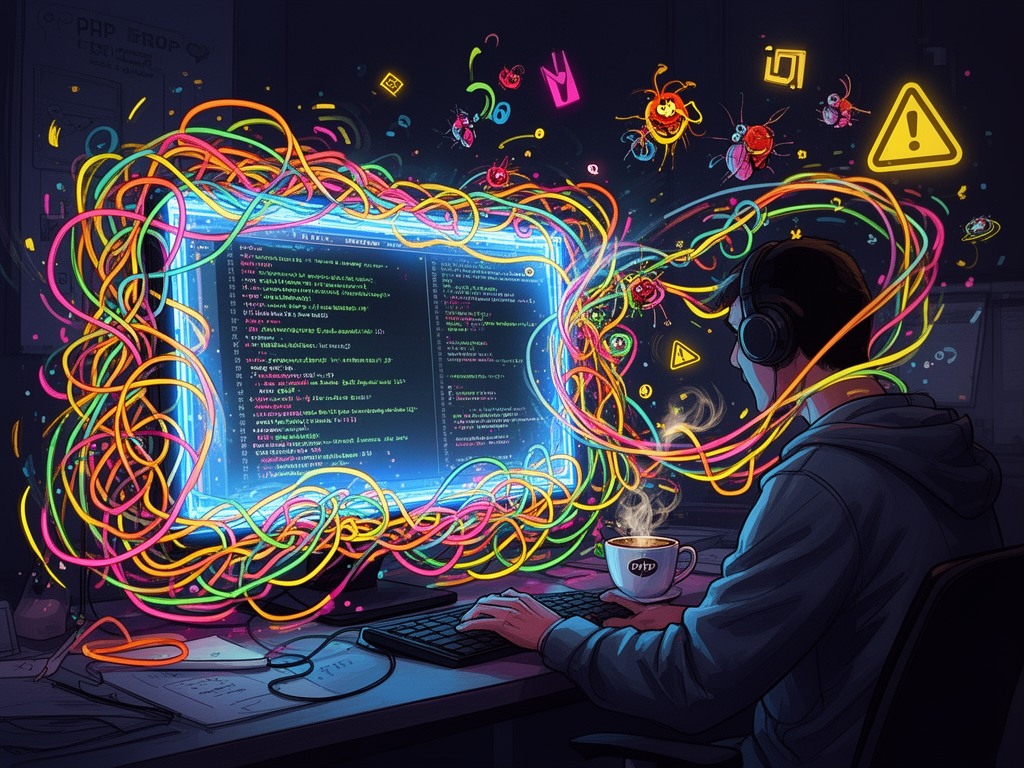
It’s late. The office is almost empty or you’re at home, half-lit by a monitor, tabs open everywhere: Stack Overflow, PHP manual, random blog posts from 2013. Your coffee went cold an hour ago. You run the script again. Same error.
You think:
“I’m obviously not cut out for this. Real PHP developers don’t get stuck on this kind of thing.”
If you’re just starting out as a PHP developer, let me tell you something blunt and honest: every single experienced PHP dev you admire has written code so bad it could probably qualify as a crime in some jurisdictions.
We’ve all made the same beginner mistakes. Some of us made them for years.
What separates “beginner forever” from “growing developer” isn’t talent. It’s pattern recognition. It’s noticing the mistakes, naming them, and slowly, stubbornly refusing to repeat them.
So let’s talk about those patterns. Not as a checklist to feel guilty about, but as a map: “Here’s where I am. Here’s where I can go next.”
And since this is for the Find PHP crowd—people who want to work in PHP, hire PHP developers, or just care about this ecosystem—I’ll keep both sides in mind: the juniors making the mistakes, and the seniors or managers watching them happen.
Mistake 1: treating PHP like a toy script language
A lot of us met PHP in the wild like this:
<?php
echo "Hello " . $_GET['name'];
You paste it on a shared hosting account, refresh the page, and boom—instant gratification. PHP is dangerously good at that. It lets you “just make it work” with almost no ceremony.
The trap: you keep using PHP like that.
- Everything lives in one file.
- Logic, HTML, and SQL are mixed like spaghetti.
- No separation of concerns.
- No idea what “layer” your code belongs to because there are no layers.
It works. Until it doesn’t.
What it looks like in the wild
You’ll see:
- giant
index.phpfiles with 1,000+ lines, - HTML sprinkled with
<?php if(...) { ?>and<?php } ?>everywhere, - raw SQL queries directly in the template,
- business rules duplicated across three different files because copying felt faster than thinking.
And then a small change—like “add a discount rule only for customers from Germany with at least three orders”—turns into a nightmare.
How to grow out of this
You don’t need to jump straight into “enterprise architecture.” Just:
- Put logic in functions or classes, not mixed into your HTML.
- Use templates (Twig, Blade, Latte, even simple
includepartials). - Group your code by responsibility:
src/for app logictemplates/orviews/for presentationpublic/for front controller (index.php) and assets.
At some point you’ll hit a framework like Laravel, Symfony, or Slim and think: “Ah. That’s why they do it this way.”
The first step is simply: stop treating PHP as a single-file script tool and start treating it as a long-lived application platform.
Mistake 2: ignoring errors (the deadly @ operator and friends)
You write some code, you run it, and PHP complains:
Undefined index: email
Annoying. You google “how to hide php errors” and stumble on this:
@$email = $_POST['email'];
The error disappears. You feel victorious.
That was not victory. That was you taping over the “check engine” light.
The culture of suppressed errors
Beginner PHP developers (and, frankly, many seniors) make these related mistakes:
- using
@to suppress warnings or notices, - turning off
display_errorsinphp.iniwithout setting up logs, - ignoring
error_log, - loading production-level settings in development, so nothing screams when things break.
The result: bugs become ghosts. They’re there, but you only notice them when everything is on fire.
What professional error handling looks like
- In development:
display_errors = Onerror_reporting = E_ALL- no
@operator, ever
- In production:
display_errors = Off- errors are logged (
error_log, Monolog, Sentry, Bugsnag, etc.), - logs are monitored, not just written.
And in code:
if (!isset($_POST['email'])) {
    // handle missing email properly
}
Notice the mindset shift: instead of silencing PHP when it complains, you treat the complaint as a clue.
Mistake 3: abusing globals and superglobals
PHP makes global state incredibly easy.
You have $_GET, $_POST, $_SESSION, $_COOKIE, $_SERVER, $_REQUEST, and you can access them from everywhere like a magical bag.
Beginners often do something like:
function saveUser() {
    $name = $_POST['name'];
    $email = $_POST['email'];
    // ...
}
It’s convenient. Also, it quietly destroys testability and clarity.
Why this hurts in real life
- It becomes impossible to know what a function depends on just by looking at its signature.
- You can’t easily unit-test
saveUser()without mocking globals. - Code gets tightly coupled to HTTP input, not domain concepts.
This pattern spreads, and soon everything is hooked into global arrays and difficult to untangle.
A small but powerful upgrade
Pass what you need explicitly:
function saveUser(string $name, string $email): void {
    // ...
}

saveUser($_POST['name'], $_POST['email']);
Same functionality, wildly different design.
The moment you start passing dependencies explicitly, you’ve taken a huge step from “PHP beginner” to “software developer who happens to use PHP.”
Mistake 4: no validation, no sanitization, no security awareness
Every experienced PHP dev has had a security talk that felt less like a conversation and more like a cold shower.
PHP is used so heavily for web development that ignoring security is like driving without brakes. And beginners do it all the time.
Common beginner security mistakes
-
Directly embedding
$_GET/$_POSTinto SQL:$sql = "SELECT * FROM users WHERE email = '" . $_POST['email'] . "'"; -
Echoing user input without escaping in HTML:
echo "Hello " . $_GET['name']; -
Storing passwords in plain text or using weak hashes like
md5()orsha1(). -
Rolling their own authentication / authorization boilerplate with no CSRF protection, no rate limiting, no session hardening.
This isn’t just about “good code style.” This is about users’ data, money, trust.
Minimum security hygiene for a PHP beginner
You don’t have to understand every RFC or OWASP Top 10 to start doing these:
- Always use prepared statements for SQL (PDO or mysqli with bound parameters).
- Escape output for the right context (HTML, attribute, JS) — templating engines help a lot here.
- Use
password_hash()andpassword_verify()for passwords. - Use framework features for auth instead of building it from scratch.
- Treat any input (query parameters, form data, headers, JSON) as untrusted.
One day you’ll find yourself reviewing junior code and asking “Where’s your validation? Where’s your escaping?” and you’ll realize, quietly, that you crossed a line somewhere along the way.
Mistake 5: pretending types don’t exist
For years, PHP let you live in this world:
function add($a, $b) {
    return $a + $b;
}
Call it with strings, numbers, a combination, and PHP would “figure it out” (with some truly cursed edge cases).
Beginners lean into this dynamic softness. It feels flexible. And then a “2" + "2 dogs" situation silently becomes 4.
The cost of type laziness
- You don’t know what functions expect or return without reading their entire body.
- Bugs hide in weird conversions:
"10" == 10is true,"10" == "010"is true, but"10" === "010"is false. - Refactoring becomes terrifying because you don’t know what shape of data flows where.
Under pressure, this turns codebases into superstition: “Don’t touch that function. Nobody knows why it works.”
Type discipline in modern PHP
Modern PHP (7 and 8) gave us a gift: proper types.
- Scalar type hints:
string,int,bool,float. - Return types:
function foo(): array { ... } - Nullable types:
?string - Union types, enums, and attributes in newer versions.
You enable strict typing at the top of your files:
<?php
declare(strict_types=1);
Then you start writing functions like:
function add(int $a, int $b): int {
    return $a + $b;
}
Now, if someone passes "2", PHP won’t quietly convert. It will complain. Good. Complaints early are cheaper than surprises in production.
Static analysis tools (Psalm, PHPStan) can then work with your code and tell you things about it that you didn’t know yourself.
Types aren’t restrictions. They’re documentation enforced by the interpreter.
Mistake 6: reinventing the wheel instead of learning the ecosystem
Another classic beginner move:
- Writing your own router from scratch.
- Implementing your own ORM.
- Building a homegrown template engine.
- Rolling a custom “framework” in
/includes/because frameworks are “too heavy”.
There’s value in learning by building things yourself, but here’s the uncomfortable truth: almost every problem you hit in web PHP has been solved, very well, multiple times.
Why beginners reinvent instead of reusing
- Tutorials rarely show the real ecosystem; they focus on basics.
- Fear: “Composer seems complicated. I’ll just write this myself.”
- Ego: “I can build something better in a few evenings.” (You can’t. Not yet. And that’s fine.)
- Lack of exposure to modern PHP practices.
The ecosystem is part of the language
Being a PHP developer in 2026 isn’t just “I know the syntax.” It’s:
- knowing Composer like you know
foreach, - understanding what Packagist is,
- being comfortable using libraries: Guzzle, Symfony components, Laravel packages, etc.,
- knowing how to read a
composer.jsonand understand dependencies.
Every time you choose a battle-tested library instead of reinventing it, you gain time and inherit other people’s hard-earned lessons.
And if you want to impress a potential employer on a place like Find PHP, knowing your way around Composer and mainstream frameworks is worth more than a thousand “custom mini frameworks” pushed to GitHub.
Mistake 7: messy database habits
Most PHP beginners treat the database as a magic storage box:
- no migrations,
- no foreign keys,
varchar(255)for everything,- business logic half in PHP, half in MySQL via stored procedures and triggers.
You can get very far with this… until you need to:
- change schema without downtime,
- debug inconsistent data,
- add new features without breaking old queries.
Common beginner DB mistakes
- building tables directly in phpMyAdmin, with no version control,
- using
SELECT *everywhere, - not thinking about indexes,
- ignoring transactions entirely,
- mixing persistence logic with controllers or views.
Grown-up PHP and SQL
Try this as a beginner upgrade path:
- Use migrations (Laravel’s migrations, Doctrine Migrations, Phinx).
- Treat the schema as code: changes go through version control.
- Keep business rules primarily in PHP, constraints in the DB.
- Learn the basics: indexes, foreign keys, transactions.
- Use an abstraction (PDO, Doctrine, Eloquent), but also learn raw SQL.
It’s strangely satisfying to look at your project folder and see a history of migrations, a story of how your application’s data structures evolved over time.
That’s the kind of thing senior devs look for when they review your portfolio.
Mistake 8: no tests, no structure, no safety net
Let’s be honest. When you’re learning PHP and trying to get a job, “write unit tests” sounds like a luxury for big companies.
So you skip it.
You make a change, refresh the page, click around a bit. If you don’t see anything break, you assume it’s fine.
Until the day you fix a bug in the registration flow and accidentally break password reset, checkout, and some obscure admin report that runs on Tuesdays.
What beginners lose without tests
- Confidence: every change feels like walking on glass.
- Speed: you’re afraid to refactor, so technical debt piles up.
- Trust: teammates get nervous when you touch critical areas.
Where to start with testing in PHP
You don’t need 100% coverage to get value. Start embarrassingly small:
- Learn PHPUnit or Pest.
- Write tests for pure functions first—utilities, calculation logic.
- For web apps, write a few feature tests that simulate HTTP requests (Laravel’s HTTP tests, Symfony’s WebTestCase, or tools like Codeception).
Testing is less about tools and more about a mental shift: “I want proof that this does what I think it does, and stays that way.”
When you meet a PHP developer who writes tests by instinct, you’re looking at someone who has broken production one too many times and decided to stop repeating that story.
Mistake 9: ignoring versions, environments, and deployment
Beginner PHP often lives on a single shared hosting account. You FTP files directly. You edit code via cPanel. It “just works.”
Until you join a team.
Then suddenly there’s:
- local environment,
- staging or testing,
- production,
- different PHP versions, different extensions,
- environment variables,
.envfiles, secrets management, - deployment scripts or CI/CD pipelines.
Beginners commonly:
- develop directly in production (yes, still happens),
- have no idea which PHP version runs where,
- commit
.envfiles with passwords to GitHub, - mix configuration with code.
Grown-up environment awareness
For a professional PHP developer, this is basic hygiene:
- Knowing what PHP version you’re targeting and what features it supports.
- Using
.envor similar for configuration, not hardcoding secrets. - Having at least two environments: development and production.
- Deploying via Git or CI/CD, not manual FTP.
- Understanding Composer’s
requirevsrequire-dev.
It’s not glamorous, but when an error happens “only on production,” this knowledge separates “panic” from “I know where to look.”
Mistake 10: learning only from tutorials, never from real code
There’s a specific kind of fatigue you get after your 15th “Build a login form in PHP” tutorial.
You can follow along, you can get it working, but nothing seems to stick deeply enough. You’re copying recipes, not cooking.
A lot of beginners stay stuck in this loop:
- follow tutorial,
- copy paste,
- minor change,
- new tutorial,
- repeat.
They never look at:
- framework source code,
- popular open-source PHP projects,
- real-world repositories with messy histories and imperfect decisions.
Why this matters for your growth
Real-world PHP is full of compromises:
- backward compatibility,
- legacy code,
- migrations between versions,
- strange patterns born from real constraints.
You don’t see this in polished tutorials. But employers on platforms like Find PHP aren’t building tutorial apps; they’re wrestling with reality.
Look at:
- Laravel’s source,
- Symfony components,
- open-source CMSes, e-commerce platforms, and libraries.
Read code that frustrates you. Ask: why did they do this? Why not something else? What trade-off were they making?
You won’t understand everything at first. That’s the point. The confusion is the workout.
Mistake 11: no version control, no history, no story
Somewhere out there, right now, a beginner PHP dev is working on a project like this:
- Files named
index_new.php,index_new2.php,index_final.php,index_final_new.php. - Backups stored as
project_backup.zip,project_backup2.zip, “final_version(1).zip”. - No Git. No branches. No commits. Only chaos.
If you recognize yourself in that, you’re not alone. A lot of us started that way.
Why this blocks your growth
- You’re afraid to experiment, because you can’t get back easily.
- You can’t show your evolution to employers; they only see the latest snapshot.
- Collaborating with others becomes nearly impossible.
Version control as a quiet superpower
Git is not just “a thing companies use.” It’s your journal.
- Every commit documents a decision, a moment.
- Branches become safe playgrounds.
- You see your own mistakes in the history and can literally watch yourself growing.
For someone browsing your profile on Find PHP, a GitHub or GitLab link with thoughtful commits tells more of your story than a polished CV ever could.
Mistake 12: forgetting that communication is also part of PHP
This one is invisible in code, but painfully obvious in teams.
Beginners often think their job is to “just write PHP.” So they:
- don’t ask for clarification when a task feels vague,
- don’t push back on impossible deadlines,
- don’t write documentation or comments,
- don’t explain trade-offs, just drop solutions.
The result: technically okay code that doesn’t actually solve the right problem, or code nobody can maintain because they don’t understand the intent behind it.
PHP developer, not PHP typist
“PHP developer” means:
- understanding business requirements,
- expressing constraints and risks,
- giving estimates with uncertainty baked in,
- documenting enough for the next person (which might be you in three months).
Code is communication with a computer, but a career is communication with people.
Even if you’re introverted. Even if you prefer the quiet of a dark room and a glowing screen. You still need to be able to say: “This approach is risky because…” or “I don’t fully understand this requirement; can we clarify?”
Every senior PHP developer you respect got good at that, deliberately or by necessity.
How to notice your own PHP mistakes without hating yourself
I’ll end with something more personal.
When you look back at your old PHP code, you should feel a mix of embarrassment and affection. If all you feel is embarrassment, you’re being too hard on yourself. If you feel nothing, you probably haven’t grown enough yet.
The point of naming these common beginner mistakes—globals, no types, reinventing wheels, ignoring security, skipping tests, abusing superglobals, silencing errors—is not to make you feel small.
It’s to give you a language for the discomfort you already feel.
- “This file is doing too many things.”
- “I keep copying this logic; maybe it belongs in a service.”
- “I don’t know what happens if this input is empty.”
- “I have no idea what version of PHP this server runs.”
That quiet voice is experience forming.
You’re allowed to push a broken commit. You’re allowed to write code today that makes you cringe six months from now. You’re allowed to learn slowly.
What matters is that you keep noticing.
Because somewhere, maybe on Find PHP, someone will look not just at what you’ve built, but at how clearly you see its flaws and how determined you are to do better next time.
And in that small, stubborn decision—to debug one more warning, to add one more type, to read one more function from a framework you admire—you’re already becoming the developer you thought you had to be from day one.