Contents
- 1 Backward-compatible database changes: the quiet art behind stable PHP projects
- 2 What “backward-compatible” really means (for your database, not just your code)
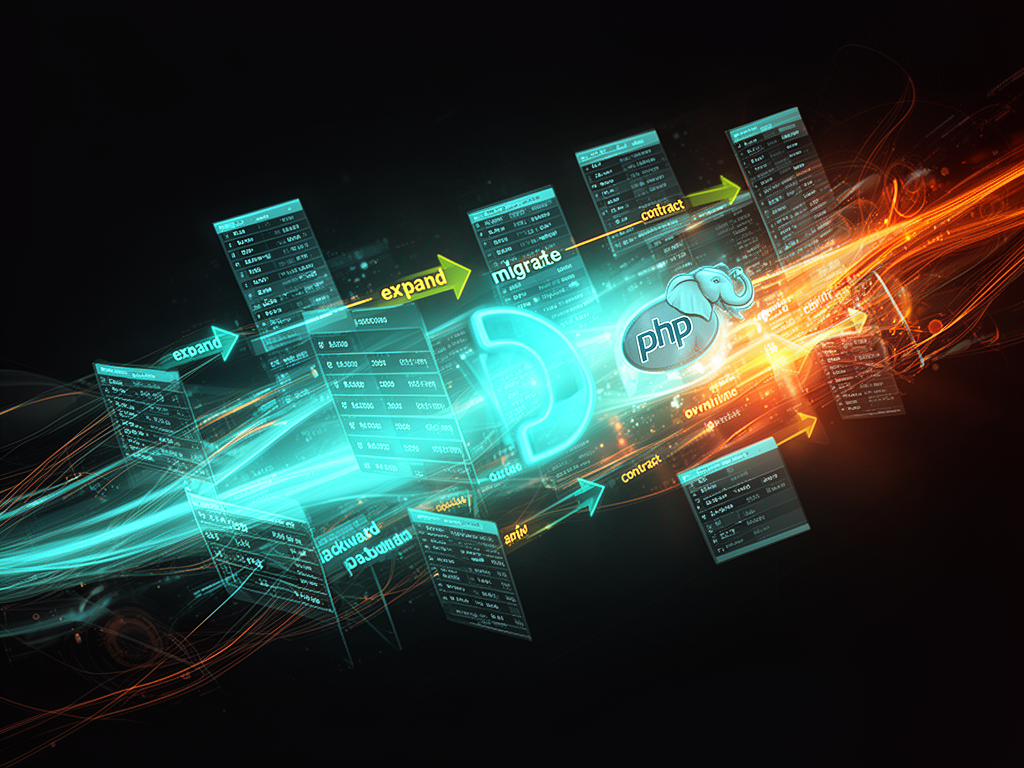
- 3 The core pattern: expand → migrate/backfill → contract
- 4 What makes a migration “safe” in practice
- 5 A PHP story: renaming a column without hurting anyone
- 6 Semantic versioning and “BC promises” for the database
- 7 Human realities: legacy PHP, migration fear, and quiet confidence
- 8 Backward compatibility in PHP migrations as a hiring signal
- 9 The small habits that keep your future deploys calm
Backward-compatible database changes: the quiet art behind stable PHP projects
There’s a special kind of silence right before a deploy.
You know the one. It’s late evening, the office half-empty, your screen glowing, coffee gone cold next to the keyboard. The new release is ready. Tests are green. CI is happy. And yet, in the back of your mind, a single thought keeps scratching:
“Are these database changes really safe?”
For PHP developers, that question is not theoretical. A bad schema change can undo months of work in minutes. It doesn’t matter if you write Laravel, Symfony, WordPress plugins, or some quiet in-house app nobody outside your company has heard of — if your database migrations aren’t backward compatible, your deployment pipeline is built on hopes instead of guarantees.
Let’s talk about the craft of backward-compatible database changes in PHP projects — not just as a checklist, but as something that shapes how we work, how we sleep at night, and how users experience our code when we press “deploy”.
This matters if you’re:
- maintaining long-living PHP products,
- trying to keep zero downtime releases,
- or hiring PHP developers who know how not to crash production at 2 AM.
Because backward-compatible database changes are one of those skills that separate “PHP coder” from “PHP engineer”.
What “backward-compatible” really means (for your database, not just your code)
We throw “backward-compatible” around a lot. But for databases, the meaning is concrete and brutally practical.
A backward-compatible database change is one where:
- the old version of your PHP application still works after the change, and
- the new version of your PHP application works with the same schema too.
At every step:
- your users can still use the app,
- you can still roll back the code,
- and you don’t corrupt data or break queries in production.
Thorben Janssen defines backward-compatible operations as changes that work for both the old and new versions of the application without splitting them into multiple steps. PlanetScale goes further: they recommend using backward-compatible changes for any operation touching schema that production is already using, so you can rollback at any step without data loss.
That’s the heart of it:
- Backward compatibility is freedom to rollback.
- Incompatible migrations take that freedom away.
If you’ve ever deployed a “simple” NOT NULL constraint and watched half your requests start throwing errors, you already know how expensive it is when that freedom disappears.
The core pattern: expand → migrate/backfill → contract
Most teams that take backward compatibility seriously end up rediscovering the same idea: don’t try to do everything in one migration.
Zero downtime guides and migration playbooks repeat a pattern with different names — expand/migrate/contract,[16] add/backfill/remove, or simply “make it safe first, make it strict later.”
Let’s break it down with an example, because this is where theory meets the real, slightly tired PHP dev staring at their migrations directory.
Phase 1: Expand (add without breaking)
In the expand phase, you only do additive, non-breaking changes:
- add new columns (nullable, no constraints yet),
- add new tables,
- add new indexes (sometimes concurrently),
- configure defaults that don’t break existing data.[13][16]
If you’re renaming a column:
- you don’t rename it yet.
- you add a new column with the desired name and type instead.[16]
The old code keeps working because:
- it doesn’t care about the new column,
- and you haven’t touched the old one yet.
Wolf-Tech’s zero-downtime guide calls this Phase 1: Expand, and stresses that these migrations run before you deploy the new application code. The schema must support both the old and new code, and at this point it does.
So in a PHP project, this might look like:
// 2026_07_23_000001_add_user_display_name_column.php

public function up()
{
    Schema::table('users', function (Blueprint $table) {
        $table->string('display_name')->nullable();
    });
}

public function down()
{
    Schema::table('users', function (Blueprint $table) {
        $table->dropColumn('display_name');
    });
}
This migration is safe by itself:
- old code doesn’t know about
display_name, but still runs fine, - new code, when deployed, can start writing to
display_name.
No downtime. No drama. Just one small step.
Phase 2: Migrate/backfill (teach the app to live in both worlds)
Next comes the migrate/backfill phase.
Here, you deploy new PHP code that:
- writes to both old and new columns (double write), or
- reads from the new column, but falls back to the old one,
- and you slowly backfill existing rows so the new schema has complete data.[16]
PlanetScale describes this as running a data migration script to backfill data from the old schema to the new one, while your application performs dual writes. The goal is simple: ensure that by the end, everything that exists in the old world also exists in the new.
In PHP, that might look like:
// During transition
$user->nickname = $request->input('nickname');
$user->display_name = $request->input('nickname'); // double write
$user->save();
And a background job:
// Backfill job
User::whereNull('display_name')
    ->chunkById(1000, function ($users) {
        foreach ($users as $user) {
            $user->display_name = $user->nickname;
            $user->save();
        }
    });
Why chunked backfills? Because Enol Casielles and others emphasize doing backfills in small batches, in the background, without locking or blocking long-running transactions.[16] Your users don’t care that you’re migrating a column. They care that the app stays fast.
During this phase:
- both schemas are alive in practice,
- your code bridges between them,
- and you can still rollback the code because the old schema remains untouched.
Phase 3: Contract (clean up only when it’s truly safe)
Only at the very end, when:
- all new writes go exclusively to the new column,
- all records are backfilled,
- no code paths reference the old column,
…do you move to contract.
This is where you:
- drop old columns or tables,
- add NOT NULL constraints,
- tighten foreign keys,
- remove deprecated structures.[16][17]
Wolf-Tech’s playbook is clear: contract migrations run after the new application code is deployed and stable. If you do this too early, you lose backward compatibility. If you wait, you drop dead weight safely.
Example destructive migration:
// 2026_07_23_000010_drop_user_nickname_column.php

public function up()
{
    Schema::table('users', function (Blueprint $table) {
        $table->dropColumn('nickname');
    });
}

public function down()
{
    Schema::table('users', function (Blueprint $table) {
        $table->string('nickname')->nullable();
    });
}
By this time:
- the application has stopped reading
nickname, - all display logic uses
display_name, - and you’ve confirmed via logs/metrics that nothing still touches
nickname.
Only then is it safe to let go.
That’s the expand → backfill → contract pattern in real life. It looks slower on paper. In production, it’s the difference between quiet deploys and “incident postmortems”.
What makes a migration “safe” in practice
If you’re building PHP applications that need to stay online, backward compatibility isn’t just about patterns — it’s about habits. The small things you do every time.
A few recurring ideas from migration best practices and zero-downtime guides:
-
Prefer additive changes.
PingCAP calls additive schema changes one of the safest ways to maintain backward compatibility: add columns or tables instead of changing or dropping existing ones.[13] -
Keep migrations small and atomic.
Ryan Oglesby and WebReference both stress that each migration should perform a single unit of work, be reversible, and focused.[14] This makes failures easier to understand and rollbacks less risky. -
Never modify a previously committed migration.
Once a migration is out in the wild, changing it breaks the deterministic history your teammates and servers depend on.[14] If you messed up, create a new migration that fixes the problem, don’t rewrite history. -
Always backup and have a rollback plan.
WebReference drives home the point: backup before migration, test rollbacks, and don’t treat production as a playground. Other guides add: log the process, monitor, and handle failures promptly. -
Test migrations in staging with realistic data.
Moldstud and similar sources suggest testing in a controlled environment, comparing schemas, checking key queries, and validating performance before touching production. -
Avoid using application models inside migrations.
Oglesby warns against relying on app code (models, repositories) within migration scripts.[14] Migrations should survive refactors and framework upgrades; tangling them with business logic makes that harder.
And there’s a simple but powerful rule I’ve seen quietly adopted in cautious teams:
Deploy schema changes first, then deploy code changes.
DevOps discussions and migration strategies recommend sticking to backward-compatible schema updates so you can update the database before the application, and rollback the app without breaking the data layer.[15] That sequence keeps your options open.
It’s not flashy. It’s just solid engineering.
A PHP story: renaming a column without hurting anyone
Let’s walk through a classic story you’ve probably lived in some form.
You have a users table with nickname. Product wants display_name instead, with a different meaning. You can’t just rename it, because:
- multiple services use
nickname, - you don’t control all clients,
- and you deploy across several servers, not all at once.
Here’s a backward-compatible path, stitched from the patterns we’ve talked about.[16]
Step 1: Expand
Migration:
Schema::table('users', function (Blueprint $table) {
    $table->string('display_name')->nullable();
});
Nothing breaks. Old code continues using nickname. New code isn’t live yet.
Step 2: Deploy dual-write code
Update PHP code:
- when writing, set both
nicknameanddisplay_name, - when reading, prefer
display_name, but fallback tonickname.
$displayName = $request->input('display_name') ?? $request->input('nickname');

$user->nickname = $displayName;
$user->display_name = $displayName;
$user->save();
Now new writes populate both columns.
Step 3: Backfill existing data
Background backfill job:
User::whereNull('display_name')
    ->chunkById(500, function ($users) {
        foreach ($users as $user) {
            $user->display_name = $user->nickname;
            $user->save();
        }
    });
Run it slowly, watch logs, keep an eye on performance.
Step 4: Switch reads entirely to display_name
Once backfill is complete and all new writes fill display_name, adjust code:
- stop reading from
nicknameat all, - treat
display_nameas the source of truth.
At this point, nickname is just historical data.
Step 5: Contract (drop the old column)
When you’ve confirmed there are no references left to nickname:
Schema::table('users', function (Blueprint $table) {
    $table->dropColumn('nickname');
});
No downtime. No broken deployments.
If the app deployment fails anywhere along the road, you can roll back code while keeping the schema compatible because you never forced the schema into a state where the old version couldn’t understand it.
It’s not fancy. But it’s the kind of craftsmanship that your future self — or the next hire reading your code — will silently thank you for.
Semantic versioning and “BC promises” for the database
Some teams go a step further and formalize all this.
PingCAP suggests applying semantic versioning not just to your application, but conceptually to your database changes as well: MAJOR for breaking changes, MINOR for backward-compatible features, PATCH for bug fixes.[13] Shopsys Platform, for example, promises that database migrations in MINOR and PATCH releases are backward-compatible and won’t rename columns, change types, or remove nullability.
That kind of backward compatibility promise does two things:
- makes upgrades predictable for users and clients,
- forces you as a PHP developer to think: “Is this migration a MAJOR change or a MINOR one?”
Once you adopt that mindset, you start seeing patterns:
- Dropping a column used by old code? MAJOR.
- Adding a nullable column? MINOR.
- Tightening a constraint after a backfill? possibly MAJOR, unless you’ve proven nobody relies on the old looseness.
You begin to treat the schema itself as an API — one that needs versioning, guarantees, and thoughtful evolution.
For a platform like Find PHP, where people look for reliable PHP specialists and long-running projects, this mindset is a quiet marker of maturity. It’s one thing to write working SQL. It’s another to design schema changes like you’re designing interfaces.
Human realities: legacy PHP, migration fear, and quiet confidence
Let’s talk about the emotional side for a moment, because backward-compatible changes are often born out of fear — and that fear is justified.
You’ve seen legacy PHP apps:
- ancient frameworks, hand-rolled ORMs,
- tables with names from 2013 product experiments,
- columns nobody dares to touch,
- mysterious triggers in the database.
Legacy migration guides tell you to upgrade databases incrementally, use tools to identify broken queries, and slowly modernize schemas. They’re right, but they usually skip how it feels:
- That mild panic when you realize no one knows why a nullable column exists.
- The hesitation before adding a constraint that logically should have always been there.
- The sense that one wrong move might wake up some old batch job or cron task that’s been silently running for years.
Backward-compatible strategies don’t remove that fear, but they channel it:
- “I’m not going to rename this column. I’ll add a new one and keep the old around for a few releases.”
- “I won’t add NOT NULL until I’ve backfilled and monitored usage.”
- “I’ll keep obsolete columns for at least a couple of versions, even if they feel ugly.”
It feels conservative. Sometimes even slow.
But if you’ve ever watched a production incident spiral out of a single “small” migration, you start to see this caution not as slowness, but as respect — for users, for teammates, for the history of the system.
Backward compatibility in PHP migrations as a hiring signal
If you’re hiring PHP developers — or thinking about how to present yourself as one on a platform like Find PHP — backward-compatible database changes are an underrated skill to highlight.
It’s easy to list frameworks:
- Laravel, Symfony, Laminas, WordPress.
It’s easy to list tools:
- Doctrine Migrations, Phinx, custom migration scripts.
Harder, and more revealing, is a sentence like:
- “Designed and implemented expand/backfill/contract migration strategies to achieve zero downtime database deployments in a multi-node PHP environment.”
- “Introduced semantic rules and BC promises for database migrations across minor and patch releases.”
- “Refactored legacy schemas using dual-write patterns and staged cleanups, keeping multiple PHP versions compatible during the transition.”
Those aren’t buzzwords. They’re stories — hints at nights spent tracing queries, staging backfills, and choosing not to rush destructive changes.
Some of the best PHP developers I’ve met have this quality:
- They don’t just know which migration functions to call.
- They know when to call them, and how to make sure nobody gets hurt.
And if you’re on the other side — looking for a job, polishing your profile — talk about one migration that you’re proud of. One change that could have gone badly, but didn’t, because you chose backward compatibility over quickness.
That’s the kind of detail that makes a CV feel like a person, not just a document.
The small habits that keep your future deploys calm
Over time, backward-compatible changes stop being a “special strategy” and turn into background noise in how you work.
You start doing things almost automatically:
- You never drop a column in the same release where you add its replacement.
- You add new columns as nullable, then backfill, then add constraints.[16]
- You keep migrations short, atomic, reversible.[14]
- You treat “modify existing column type” as a major event, not a casual tweak.[13]
- You test migrations on staging with realistic data and traffic patterns.
And on deployment evenings — the quiet ones, with tired eyes and stubborn code — that discipline pays off.
You run the migrations.
Nothing screams.
Metrics stay flat.
Messages from support don’t spike.
Users browse, submit forms, check out, log in. They never know you just changed the shape of tables under them.
You close your laptop a little calmer.
Backward-compatible database changes aren’t exciting. They don’t show up in product screenshots. Nobody outside your circle will praise them.
But they are the invisible decisions that keep systems alive, teams sane, and PHP projects capable of growing without breaking the people who depend on them.
And in that quiet between one release and the next, when the monitors hum softly and the code waits to be run, it’s a good feeling to know you’ve built things in a way that honors both the past and the future — one careful migration at a time.