Contents
- 1 Blue-green And Canary Deployments For PHP: How Grown-up Apps Ship Change
- 2 Why Deployments Start To Feel Personal
- 3 Blue-green: Two Worlds, One Switch
- 4 What Blue-green Looks Like For A PHP App
- 5 The Emotional Side Of Blue-green
- 6 PHP-specific Gotchas With Blue-green
- 7 When Blue-green Makes Sense
- 8 Canary Deployments: Letting A Few Users Go First
- 9 What Canary Looks Like For A PHP App
- 10 Feature Flags: Canary Without Changing Routing
- 11 When Canary Makes Sense
- 12 Blue-green Vs Canary: Not Enemies, But Instruments
- 13 Making This Realistic For A PHP Career
- 14 A Simple Mental Model To Keep
Blue-green And Canary Deployments For PHP: How Grown-up Apps Ship Change
Somewhere around 1:17 AM, you push git tag v3.4.0 and stare at the terminal just a little longer than necessary.
The coffee is already cold. Your production PHP app has real users, real money flowing through it, real people who get mad if something breaks.
In that moment, deployment stops being “just run composer install on the server” and becomes something else: risk management, trust, responsibility.
That’s where blue-green and canary deployments enter the story.
This isn’t Kubernetes fan-fiction or cloud buzzword soup.
This is about how you, as a PHP developer, ship new code without destroying the quiet trust your users have in your work.
Let’s talk about it in a human way.
Why Deployments Start To Feel Personal
If you’ve been around PHP for a while, you probably remember the days of:
sshinto prod.git pull.- Maybe run migrations.
- Pray.
It works… until it really doesn’t.
- The payment gateway fails during a release.
- A subtle bug in a new serialization layer corrupts data.
- A new caching strategy breaks session handling for 5% of users, and you only notice when support tickets start piling up.
The more your PHP app matters — e-commerce, SaaS, internal business systems — the more deployment stops being a technical event and starts feeling like a promise: “I won’t break this for you.”
Blue-green and canary deployments are patterns that help you keep that promise.
Blue-green: Two Worlds, One Switch
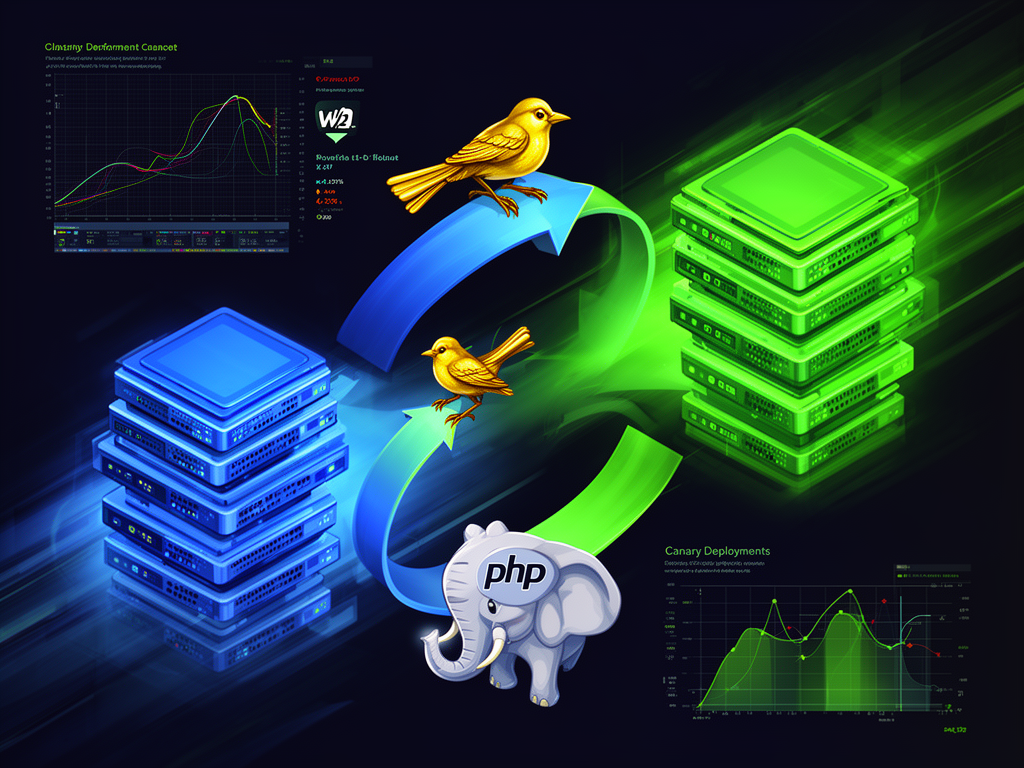
At its core, blue-green deployment means you maintain two complete environments that can run your application in production:
- Blue: the current live environment.
- Green: the new version you’re about to release.
Only one serves real users at any given time. You deploy to the idle one, test it, and when you’re ready, you flip traffic to it in one move. If something goes wrong, you flip back.
According to multiple practical guides on PHP deployments, this is one of the most direct ways to achieve near-zero downtime and instant rollback for web applications.
What Blue-green Looks Like For A PHP App
Picture this with a fairly typical stack:
- Nginx or Apache as web server / reverse proxy.
- PHP-FPM.
- A database (MySQL, PostgreSQL).
- Maybe Redis, message queues.
- Some Docker or bare metal.
You build:
-
Blue:
/var/www/myapp-blue- Stable version of your PHP code
- Connected to production DB
- Serving all traffic
-
Green:
/var/www/myapp-green- New version of your PHP code
- Also able to connect to the same DB (or a replica / migration target)
- Not yet serving external traffic
Your router / LB decides which one is “real” for users.
Common implementations:
- Nginx upstream pointing either to
myapp-blueormyapp-green. - A symlink
current→releases/2026-07-20_03-00(green) vs previous release (blue). - A Docker setup where
app_blueandapp_greenare separate services, and the reverse proxy sends traffic to one.
The steps:
- New code goes to green.
- You run smoke tests, health checks, maybe a quick internal test suite against green.
- You update the load balancer (or symlink, or DNS) to switch 100% of traffic from blue to green.
- Blue just… waits. Untouched. Back-up plan incarnate.
If errors spike, you reroute traffic to blue again. Rollback in seconds, no mixed versions.
The Emotional Side Of Blue-green
There’s a particular feeling the first time you do a real blue-green switch.
You watch graphs.
Browser open with /status or some minimal health endpoint.
Cloud dashboard on the second monitor.
You flip the Nginx config, hit reload, and… hold your breath.
A few seconds pass.
Requests keep flowing, error rate doesn’t move, checkout still works.
You realize: I’m allowed to move fast now, without being reckless.
Instead of deployments feeling like cliff jumps, they become reversible decisions.
PHP-specific Gotchas With Blue-green
It all sounds clean until you meet the realities of PHP applications.
1. Database migrations
If your DB schema changes, blue-green can get tricky.
- If you run migrations that break backwards compatibility (remove a column, change a type in a way old code can’t handle), your old blue version might not work if you have to roll back.
- Good blue-green practice pushes you toward backwards-compatible migrations:
- Add new columns instead of removing old ones immediately.
- Deploy new code that writes to both old and new fields if necessary.
- Only drop old columns in a later release, after you’re sure you’ll never roll back to code that needs them.
It’s slower.
It’s more deliberate.
It’s how grown-up teams keep data safe.
2. Sessions and state
If you’re storing sessions in:
- Files on disk
- APCu
- Or any non-shared local storage
Switching environments might disrupt logged-in users. A more robust approach:
- Use Redis or Memcached for sessions.
- Keep session handling shared between blue and green.
- Avoid any deployments that require people to log in again unless absolutely necessary.
3. Asset handling
If your PHP app compiles assets (JS/CSS) or manages uploads:
- Make sure both blue and green know where assets live.
- If you change asset paths, consider versioned URLs and a storage bucket that both environments can access.
- Keep user uploads on a shared volume or object storage, not inside each release folder.
These details are where “we implemented blue-green” either quietly succeeds or silently breaks user experience.
When Blue-green Makes Sense
Blue-green fits particularly well when:
- Your app must not mix versions:
- Payment flows
- Complex business rules
- Sensitive APIs
- You want fast, binary rollbacks — either the new code is good, or you go back.
- You can afford duplicate environments (servers, containers, LB rules).
In multi-tenant PHP SaaS products, or busy marketplaces, this pattern stops downtime from being a recurring character in your release notes.
Canary Deployments: Letting A Few Users Go First
Blue-green is about clean cuts: 0% → 100% traffic switches.
Canary deployments take a different emotional stance:
“Let’s not move everyone at once. Let’s move a few, watch what happens, then decide.”
You deploy the new version to a subset of users or servers, send only a small percentage of traffic to it, and carefully watch metrics and behavior. If it behaves well, you gradually increase that percentage until everyone is on the new version.
If things go bad, only that slice of traffic is hurt — and you roll back before the majority even knows.
It’s named after the canaries coal miners used: tiny creatures sent ahead to detect danger in the tunnel before humans walked through.
What Canary Looks Like For A PHP App
Imagine you have:
- Nginx + PHP-FPM farm with multiple instances.
- Or a load balancer distributing traffic across
php-app-1tophp-app-10.
You could:
- Deploy the new version to one instance (the canary).
- Keep the rest on the stable version.
- Route 5% of traffic to that canary instance.
- Compare:
- Error rates.
- Latency.
- Business metrics: signups, conversions, payment success.
If everything looks fine, you roll the new version to more servers: 25%, 50%, 100%.
No dramatic switches, just stepping stones.
Feature Flags: Canary Without Changing Routing
In PHP, you can also implement canary behavior with feature flags and conditional logic:
- Add a flag system (internal or with a service like LaunchDarkly / homegrown).
- Choose some users as canary group:
- Based on user IDs.
- Randomly with a probability (
mt_randand a threshold). - Based on region or tenant.
- Enable a new feature only for that group:
- New checkout flow.
- New pricing screen.
- New search algorithm.
From your users’ perspective:
- Most people see the old behavior.
- A small subset quietly gets the new version.
- You monitor metrics specifically for that group.
For PHP applications where routing-level canary is hard, feature flags are almost a cheat code.
When Canary Makes Sense
Canary is especially valuable when:
- You’re shipping high-risk changes:
- Performance-sensitive code.
- Complex caching strategies.
- Logic that affects money or legal processes.
- You want real-world feedback before going all-in.
- Your user base is large enough that “5% of traffic” still gives statistically meaningful signals.
It’s less about instant rollback and more about gradual confidence.
Blue-green Vs Canary: Not Enemies, But Instruments
It’s tempting to ask: Which is better? Blue-green or canary?
Wrong question.
They are tools with different shapes:
-
Blue-green:
- Two full environments.
- Switch all traffic at once.
- Super strong at rollback and zero downtime.
- Great when version mixing is dangerous.
-
Canary:
- One environment (or mixed set of servers) with traffic split.
- Gradual rollout: 1% → 5% → 25% → 100%.
- Strong at risk reduction and observability.
- Great when you want real-world behavior before committing.
Some teams use blue-green deployments as the base, then run canaries between blue and green by progressively shifting traffic and comparing metrics. Even Google’s SRE practices describe that hybrid approach: deploy to standby, then slowly split traffic.
When you understand both, you start designing deployment flows the way you design application architecture — intentional, layered, with safety nets.
Making This Realistic For A PHP Career
If you work with PHP professionally — whether you’re:
- That lone developer holding together a company’s internal CRM.
- Part of a small team building a niche SaaS.
- Looking for work on platforms like Find PHP.
- Or hiring someone to keep your production system sane —
deployment stories are part of how people judge your maturity.
For your resume or portfolio:
- Being able to say:
- “Implemented blue-green deployments using Nginx and Docker for a high-traffic PHP application.”
- “Used canary releases with feature flags to validate new billing logic against 5% of users before full rollout.”
- Speaks volumes about trustworthiness under pressure.
For your team or company:
- Hiring PHP developers who understand these strategies means:
- Fewer 3 AM outages.
- Fewer “we deployed and spent the next two days patching prod” stories.
- A quieter operational life where releases feel routine, not crisis-laden.
Deployment isn’t just about tools. It’s about how much you respect the people using your software.
A Simple Mental Model To Keep
Next time you’re planning a release, ask yourself a few questions:
- If this goes wrong, how painful is rollback?
- Do I need everyone to see this change at once, or can I “invite” a small crowd first?
- Is my database schema backward-compatible with the previous version?
- Could blue-green save me from downtime here?
- Would canary give me more confidence before flipping everyone?
You don’t need the fanciest stack in the world to start using these ideas.
Even a single VPS running PHP can evolve toward:
- A symlink-based blue-green setup.
- A basic feature-flag system written in plain PHP.
- Simple Nginx config that routes some fraction of traffic differently.
You begin where you are, with what you have.
Some of the most meaningful progress in a PHP career is quiet: a safer deployment, a more careful migration, one less outage. Nobody outside your team writes blog posts about that. But you know. And your users feel it too, in the form of an app that simply works, day after day.
Some night soon, you’ll deploy a big change using blue-green or canary, watch the graphs stay calm, and realize you’ve crossed an invisible line: you’re not just writing PHP code anymore — you’re shepherding a living system carefully forward.
That’s the kind of work that leaves you quietly proud, and ready for the next release.