Contents
- 1 Soft deletes vs data archiving: the moment when “delete” stops being trivial
- 2 What we really mean by “soft delete”
- 3 What we really mean by data archiving
- 4 The emotional side: responsibility and fear
- 5 Practical PHP: choosing your strategy by use case
- 6 Soft deletes vs archiving for a platform like “Find PHP”
- 7 How to implement this sanely in PHP
- 8 The quiet skill that great PHP developers share
Soft deletes vs data archiving: the moment when “delete” stops being trivial
Picture this.
It’s late, the office is quiet, the glow from two monitors and a half‑finished coffee is the only light around you. You’re cleaning up some old tables in a legacy PHP app, just “simple delete stuff.” A few DELETE FROM users WHERE id = ? calls, maybe wiring up a button in an admin panel.
And suddenly your stomach drops.
Someone asks: “Wait… can we undo this?”
You realize this isn’t about rows anymore. It’s about stories, history, responsibility. That account you’re about to erase carries failed logins, purchases, support tickets, angry messages, mistakes. You hover over the word “delete” and it stops being a verb and starts being a design decision.
That’s where soft deletes and data archiving walk into the room.
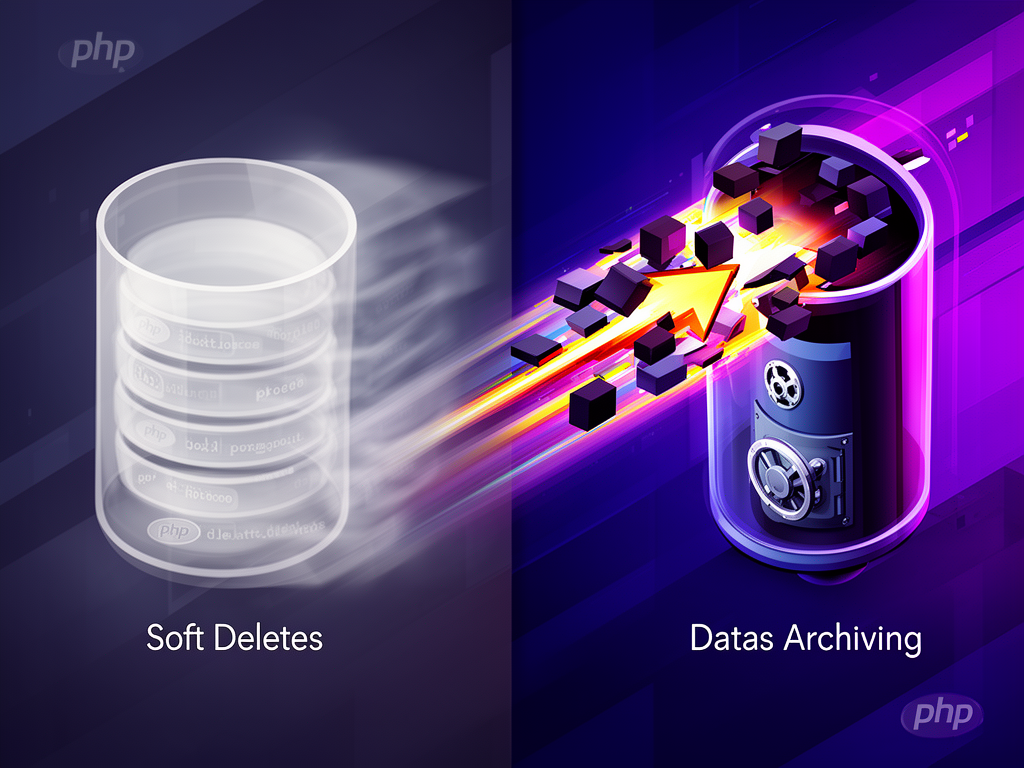
They look similar from a distance—both say “we care about data enough not to throw it away casually.” But the way they shape your PHP application, your queries, and eventually your user experience, is very different.
Let’s talk about that difference. Honestly. Like colleagues sharing war stories instead of preaching best practices.
What we really mean by “soft delete”
In most PHP apps today, soft delete means: we don’t physically remove a row from the main table; we mark it as deleted and hide it from normal queries.
Technically, that’s usually:
- a boolean flag:
is_deleted TINYINT(1) - or a timestamp:
deleted_at DATETIME NULL
You’ve seen it a thousand times:
UPDATE users SET deleted_at = NOW() WHERE id = 123;
-- Row still exists, but the app treats it as gone
And then every “active” query becomes something like:
SELECT * FROM users
WHERE deleted_at IS NULL;
Soft delete is attractive because it’s easy to explain:
- “We don’t really delete, we just hide.”
- “We can restore anytime.”
- “We keep history for auditing.”
It keeps referential integrity intact: foreign keys are not suddenly pointing into the void, reports still work, and you can track who did what and when, if you add columns like deleted_by as many people recommend for accountability.
Frameworks encourage it. Laravel’s SoftDeletes trait. FuelPHP’s soft delete model that literally describes it as “hide instead of remove, you can query archived data for reports.” It feels natural: deletion as just another state in the lifecycle.
But in real projects, especially in PHP + MySQL systems that have been alive for years, soft deletes have a dark side.
- Every query must remember the “not deleted” filter.
- Indexes start to care about
deleted_atoris_deleted. - The table never really shrinks; soft‑deleted rows accumulate.
- Performance drops if nobody cleans up.
- Business rules around restoration turn into “what happens to all the related records?”
You know that feeling when you add a new endpoint and forget WHERE deleted_at IS NULL? Something weird leaks into production, a “deleted” user suddenly appears in an export. That’s not a simple mistake; it’s a symptom of a design choice.
Soft deletes are not bad. They’re honest: “we’re afraid to lose data, so we’ll keep it close.” But they’re also lazy sometimes, in the sense that we throw responsibility from the database layer to the application layer. The DB could cascade, enforce, and clean up; instead we micromanage row visibility in every PHP query.
We don’t talk about that enough.
What we really mean by data archiving
Data archiving goes one step further.
Instead of marking rows as deleted in the main table, you move them out of the operational database into a separate place where they become history, not live state.
That can be:
- a separate archive table with the same schema, e.g.
users_archive - an archive database (mirror schema)
- a generic audit / archive table with serialized JSON records
- or even an external cold storage, depending on how serious the system is
The typical pattern is:
INSERT INTO users_archive (id, name, email, created_at, deleted_at)
SELECT id, name, email, created_at, NOW()
FROM users
WHERE id = 123;

DELETE FROM users WHERE id = 123;
So you’re still doing a hard delete from the main table—data is physically removed, foreign keys can cascade—but you’ve kept a copy in a place explicitly labeled “archive.” Some folks wire this up with triggers. Others do it via background jobs. Some use packages in Laravel that copy deleted models into a separate table while hard‑deleting the originals.
The main idea is simple:
- The operational database stays clean and fast.
- Archived data is historical, clearly separated from current state.
- Reporting, audits, investigations go against the archive, not the live tables.
- You’re still able to restore, but that restoration is deliberate, not a mere toggle of a flag.
It’s not as trivial as flipping is_deleted from 1 back to 0, but it’s more honest: once something is archived, everyone understands it’s no longer “active” data.
And this matters for compliance too. Many data retention strategies treat delete and archive as separate policies:
- cleanup removes stale data forever,
- archival moves it into a long‑term store to satisfy business or legal needs.
You can feel the difference in your gut when you name things.users.deleted_at is “maybe gone.”users_archive is “definitely gone from the main system, still kept for history.”
The emotional side: responsibility and fear
Let’s get away from SQL for a moment.
Have you ever hesitated to add ON DELETE CASCADE to a foreign key, because it felt too dangerous? That’s the same emotion that leads to soft delete flags everywhere: fear of pressing a button that can’t be undone.
Soft delete is comforting:
- we can restore a user who claims “I didn’t mean to delete my account.”
- we can replay an incident timeline.
- we can see who changed what.
But it can also create moral laziness. We postpone real decisions (“when do we truly remove this data?”) and keep adding flags, piling up “ghost rows” that only exist because nobody dared to write a proper retention and archiving policy.
Archiving is different psychologically.
When you implement archiving, you are forced to answer questions:
- When does data move from active to historical?
- Who needs access to archives and how?
- How long do we keep them?
- What’s our restoration story—do we support it or is it solely for audits?
You start thinking less like “someone pressing delete on a UI” and more like “custodian of long‑lived software with clear data lifecycle.”
In PHP world, where we often inherit old systems with tables named users_old_2_backup, that shift matters. It’s the difference between a bunch of ad‑hoc soft deletes scattered through the code, and a deliberate architecture where deletion and archiving are first‑class concepts.
And for a platform like Find PHP, that difference is not just theoretical. The people reading this—recruiters, developers, companies—care about:
- hiring engineers who understand trade‑offs, not just patterns
- building products that age gracefully, not just launch quickly
- maintaining resumes, job posts, portfolios where “delete” might mean “remove from public view” but not necessarily “forget forever”
Soft delete vs archiving is where “PHP developer” quietly becomes “data steward.”
Practical PHP: choosing your strategy by use case
Let’s come down from the clouds and talk about actual PHP applications.
Think of three recurring domains:
- user accounts
- business records (orders, invoices, subscriptions)
- content (posts, comments, messages)
Each one pushes you toward different choices.
When soft deletes shine
Soft delete fits well when:
- restoration is common or required
- deactivated user accounts
- “trash” functionality in admin panels
- audit trails matter inside the main system
- you want BI dashboards to include “deleted” records in historical charts
- the domain treats deletion as reversible state
- like archiving a post, unpublishing it, or hiding it from search
In PHP, especially with ORMs, soft deletes can be straightforward:
- add
deleted_at(timestamp beats boolean because it tells you “when”) - ensure your query layer enforces
WHERE deleted_at IS NULLby default - add scopes, repository methods, or views to abstract the filtering
- index
deleted_atif the table is large and queries rely on it
But you need discipline:
- your migrations must document which tables use soft delete and why
- your devs must know the difference between “fetch active” and “include deleted”
- your admin tools must show deleted state clearly, no half‑alive rows in the UI
This is where a lot of seasoned teams end up using a hybrid: soft delete now, hard delete later via a scheduled job. You mark rows as deleted today, let support restore if needed, and after N days your worker purges them and logs the event to an audit table.
Deletion becomes a slow, thoughtful process instead of a single irreversible operation.
When data archiving is the grown‑up move
Archiving is stronger when:
- your main tables are operational, not historical
- think: current subscriptions, active sessions, live orders
- performance and clarity beat “easy restoration”
- reporting or legal audit requires long‑term history
- financial records, compliance logs, security events
- you want the database to handle hard deletes and cascades cleanly
Typical pattern:
- main tables: only live, active data
- archive tables: all historical state, including “deleted” or “expired”
- optional generic archive table with JSON payload, operation type, and metadata
In your PHP code, you then separate:
- “user actions” that trigger deletions
- “background processes” that archive and purge
Sometimes you use triggers in the DB so that any hard delete automatically copies the row to an archive table. Sometimes you write explicit services: DeleteUserService calls ArchiveUserService first, then performs deletion.
The crucial difference is where you query:
- business logic, user experiences, dashboards → main tables
- historical analytics, audits, investigations → archive tables
You stop trying to do everything with one overloaded table sprinkled with flags. There’s a kind of emotional relief in that separation. Your queries become simpler. Your indexes do their job. Your DB gets to be a database again, not a strange mix of current rows and ghosts.
Soft deletes vs archiving for a platform like “Find PHP”
Imagine the scenarios around a platform like Find PHP:
- A developer deletes a resume but later wants it back.
- A recruiter removes a job post that’s obsolete.
- Someone requests their data to be removed for privacy reasons.
- Product managers want long‑term analytics on hiring trends and candidate activity.
Suddenly our choices matter at a very human level.
User‑facing data
For resumes, profiles, job listings, portfolios:
-
Soft delete makes sense:
- you can “unpublish” content
- show “inactive” items in private dashboards
- restore things easily when users change their mind
-
But you likely want a retention policy:
- after some period of inactivity or deletion, archived or purged
- this touches GDPR, CCPA, and general privacy expectations
A reasonable flow:
- User clicks “delete resume.”
- System marks it softly deleted (
deleted_at,deleted_by). - Resume disappears from search and public views.
- For N days, support or the user can restore.
- After N days, background job archives the resume and hard‑deletes it from main tables, keeping only anonymized or legally required information.
This is a hybrid strategy: soft delete as UX, archiving as long‑term discipline.
Logs, metrics, behavior analytics
For activity logs, clicks, search history:
- You rarely need soft delete row by row.
- You almost always need a data retention and archiving policy.
Here, a purely archival approach makes sense:
- logs older than X days → move to
logs_archiveor external storage - logs older than Y days → purge completely
- no “undo” button, just clear rules and documentation
You still build analytics on top of archived data—trends, funnels, hiring cycles—but you don’t pay the performance cost in your operational tables.
How to implement this sanely in PHP
Let’s translate all this into something you can build Monday morning, with a PHP stack that isn’t perfect and a deadline that isn’t kind.
1. Name your intent explicitly
Don’t just add a deleted_at column because “that’s what we do.”
Write down:
- which tables use soft delete
- which domains use archiving
- which data is hard deleted with no copy kept
A short document in your repo beats tribal knowledge. Even a few comments in migration files make a difference six months later.
2. Centralize soft delete behavior
If you choose soft delete:
- use a base model / trait / repository that:
- adds the
deleted_atfield - enforces default “not deleted” queries
- exposes explicit methods:
deleteSoft(),restore(),forceDelete()
- adds the
Avoid sprinkling WHERE deleted_at IS NULL manually in random queries. That’s how you get subtle bugs.
3. Design archiving as a pipeline, not an afterthought
Archiving deserves its own layer:
- Services or jobs that:
- select candidates for archiving (old, soft‑deleted, expired)
- copy them into archive tables or storage
- hard delete them from main tables
- log the operation with timestamps and actors
If your database supports triggers and you trust them, you can use them for consistent behavior. If not, stay in PHP and make the pipeline explicit.
4. Respect foreign keys and cascading deletes
If you rely heavily on soft deletes, think about:
- restoring a parent row that has children in various deletion states
- what happens when a child is still active but the parent is soft‑deleted
If you lean into archiving and hard deletes:
- ensure foreign keys are configured to cascade or restrict in ways that match your mental model
- let the database do the work it is good at, instead of circumventing it with ad‑hoc flags
This is where many teams slowly move away from “soft delete everywhere” to a mix of:
- hard delete + audit logs for actions
- hard delete + archiving for data
- carefully chosen soft deletes where UX truly requires reversible state
We don’t put “thinks deeply about deletion strategies” on resumes. It’s rarely a bullet point in a job description.
But you feel it when you talk to an experienced PHP engineer in an interview for a role you found through a place like Find PHP.
They don’t just say “we use soft delete because it’s safer.” They ask:
- “What’s the lifecycle of this data?”
- “Who might need this in two years?”
- “How do we honor privacy while preserving insight?”
- “Which tables are operational, which are historical?”
The answer is rarely a pure pattern. More often, it’s a small, honest system:
- a couple of soft‑deleted tables where users need undo
- a set of archive tables or an audit log for serious history
- a scheduled purge that keeps the database lean and compliant
- comments in migrations that show someone cared enough to explain “why”
Deletion stops being scary when you stop treating it as a button, and start treating it as a story: from creation, to active use, to dormancy, to memory, and finally to forgetting.
Somewhere between a DELETE FROM and an INSERT INTO archive, your code starts to say something quiet about how much you respect the people behind the rows.
And that, more than any pattern, is what stays with you when the monitors go dark and you close your editor for the night.