Contents
- 1 Why small websites deserve small PHP setups
- 2 What “minimal” should mean (and what it shouldn’t)
- 3 The minimal PHP stack that just works
- 4 Routing without a framework (that doesn’t suck)
- 5 Handling forms the grown-up way (even on tiny sites)
- 6 Minimal doesn’t mean insecure
- 7 The human side: who maintains this when you leave?
- 8 When to use a framework (and when to resist)
- 9 Composer without overcomplicating things
- 10 Environments: dev and prod without drama
- 11 Deployment: from “click upload” to something slightly better
- 12 Logging and tiny traces of observability
- 13 SEO, caching, and not overdoing performance
- 14 What this means for people using Find PHP
- 15 A final scene
Why small websites deserve small PHP setups
There’s a quiet kind of joy in spinning up a tiny PHP site.
No Docker swarm.
No ten-layer Kubernetes YAML.
Just a simple page, a small form, and the feeling that you actually understand every line between the browser and the database.
If you’ve ever stared at a blank VPS, cursor blinking in your terminal at 1 a.m., wondering, “What’s the simplest way to get a PHP site online without making a mess I’ll regret in six months?” — this is for you.
Friends, colleagues, fellow PHP developers: let’s talk about minimal PHP setups for small websites.
Not “toy” setups. Not “for demos only.” I mean real, usable, maintainable setups for:
- a small business site with a couple of forms
- a personal portfolio
- a landing page with a newsletter signup
- a tiny internal tool somebody in the company “just needs by Friday”
The kind of things people come to Find PHP for: real work, real people, real code.
What “minimal” should mean (and what it shouldn’t)
“Minimal” is a dangerous word in tech.
Sometimes people use it as an excuse to skip everything: validation, backups, security, logging. That’s not minimal; that’s reckless.
For small PHP websites, minimal should mean:
- few moving parts
- low cognitive load
- fast to deploy
- easy to hand over to another developer
- boring in the best possible way
But still:
- sane error handling
- basic security
- a clear structure
- a path to grow a little if the project succeeds
Let’s define some constraints.
Imagine:
- Up to 10–15 pages
- A simple contact form or two
- Maybe a small database table (or none at all)
- Traffic: a few hundred to a few thousand visitors per day
- Budget and time: limited, as usual
We don’t need microservices. We don’t need queues. We might not even need a framework.
So what do we actually need?
The minimal PHP stack that just works
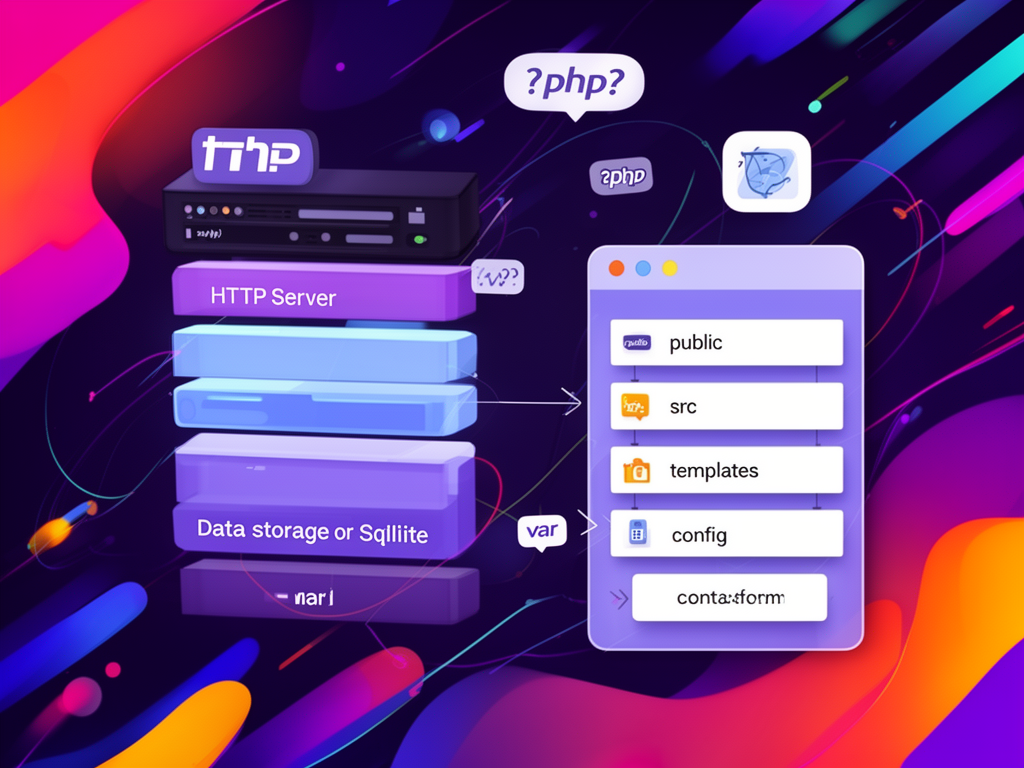
You can think of a small PHP site as four layers:
- HTTP server
- PHP runtime
- Data storage
- Project structure
Nothing fancy. Let’s go through each.
1. HTTP server: Apache or Nginx… or skip the choice
For small websites, you do not need an exotic server. You need something the next developer will recognize in five seconds.
Most common minimal setup:
- Apache + PHP-FPM
- Nginx + PHP-FPM
- Or a managed hosting panel that hides this for you (for small projects, that’s completely fair)
If you’re on shared hosting or a simple VPS:
- Apache with mod_php is still very common and totally fine for small sites
- PHP-FPM is the standard now and plays nicely with both Apache and Nginx
If you’re deploying alone and time is tight, I’ll be honest: I often choose whatever the hosting provider sets up by default.
Minimalism is also about using what’s already there instead of fighting it for the sake of ideology.
2. PHP version: the quiet hero
For a modern minimal setup, pick the latest stable PHP version available on the host.
You get:
- better performance
- more secure defaults
- modern language features that simplify code (typed properties, arrow functions, etc.)
A small site benefits from this just as much as a big one. Maybe more, because you have less code and each improvement is immediately visible.
If a client’s hosting still runs something ancient, that’s often a sign:
you’re not just building a site, you’re inheriting a time bomb. Negotiate an upgrade. Your future self will thank you.
3. Data storage: database, file, or nothing at all?
Minimalism starts with asking:
Do we really need a database?
Many small sites don’t.
Cases where you can skip the database:
- purely informational sites (static-like content)
- portfolio with rarely changing content
- landing page where the only dynamic piece is a contact form that sends emails
In those cases:
- content can live in simple PHP arrays or configuration files
- small lists (services, team members) can be defined as data structures in PHP
For example:
$services = [
    [
        'name' => 'Web development',
        'description' => 'Custom PHP-based web applications.',
    ],
    [
        'name' => 'Maintenance',
        'description' => 'Ongoing support for existing systems.',
    ],
];
Then you loop and render. No CMS. No admin panel. Just code.
When a database does make sense:
- you have a form that collects data you must store
- there’s some kind of listing with search / filters
- content editors need to change things without touching code
For small projects, SQLite is wildly underrated:
- single file
- no server process to manage
- perfect for low to medium traffic
- easy backup: just copy the file
But if the environment is LAMP and the client already expects MySQL, that’s fine too. Minimal setups are often more about using one thing well than choosing the theoretically smallest one.
4. Project structure: one step above chaos
This is where small projects usually go wrong.
You start with index.php and a contact.php.
Two weeks later, you have form2.php, thanks.php, admin_new.php, admin_new2.php_backup.php.
We’ve all been there once.
Minimal doesn’t mean “flat folder with 30 PHP scripts.” Minimal means enough structure to stay sane.
A simple, pragmatic structure:
public/– all web-accessible files (index.php, CSS, JS, images)src/– application logictemplates/– view filesconfig/– configuration (environment, database, secrets not tracked in git)var/– logs, cache, uploads
Something like:
my-site/
  public/
    index.php
    contact.php
    assets/
  src/
    ContactFormHandler.php
  templates/
    layout.php
    home.php
    contact.php
  config/
    config.php
  var/
    logs/
    uploads/
  composer.json
Is this “enterprise”? No.
Is it infinitely better than a single folder with everything dumped into it? Absolutely.
And when the client comes back next year asking for “just one more feature,” you’ll know where things belong.
Routing without a framework (that doesn’t suck)
A small website doesn’t always need a full-blown router, but it does need predictability.
You can either:
- use separate
.phpfiles as “pages” (truly minimal, but can get messy), or - use a tiny front controller that maps routes to callbacks
For small sites, I like a single entry point (public/index.php) with very simple routing.
Example:
// public/index.php

$path = parse_url($_SERVER['REQUEST_URI'], PHP_URL_PATH);

$routes = [
    '/' => 'home',
    '/contact' => 'contact',
];

if (!isset($routes[$path])) {
    http_response_code(404);
    echo 'Page not found';
    exit;
}

$page = $routes[$path];

require __DIR__ . '/../bootstrap.php';

include __DIR__ . '/../templates/' . $page . '.php';
And then home.php and contact.php are pure templates.
It’s not a full framework. But it gives you:
- one place to define URLs
- one place to add middleware-like things later (logging, timing, simple auth)
- no magic
Handling forms the grown-up way (even on tiny sites)
Forms are usually the first “real” dynamic piece on a small site.
The classic temptation:
if ($_POST['email']) {
    mail(...);
}
It “works.” Until it doesn’t.
A minimal, responsible form handler should cover:
- server-side validation (not just JavaScript)
- basic spam protection (honeypot field or simple rate limiting)
- clear success and error messages
- logging failures somewhere
Example sketch for a contact form handler:
// src/ContactFormHandler.php

class ContactFormHandler
{
    public function handle(array $data): array
    {
        $errors = [];

        $name = trim($data['name'] ?? '');
        $email = trim($data['email'] ?? '');
        $message = trim($data['message'] ?? '');

        if ($name === '') {
            $errors['name'] = 'Name is required.';
        }

        if ($email === '' || !filter_var($email, FILTER_VALIDATE_EMAIL)) {
            $errors['email'] = 'A valid email is required.';
        }

        if ($message === '') {
            $errors['message'] = 'Message cannot be empty.';
        }

        if (!empty($errors)) {
            return ['success' => false, 'errors' => $errors];
        }

        // Send email or store in DB
        // ...

        return ['success' => true];
    }
}
Then in your controller or page:
$handler = new ContactFormHandler();
$result = $handler->handle($_POST);

if ($result['success']) {
    // show thank you
} else {
    // show errors
}
Is this “overkill” for a tiny site? Not really. This is the minimum that avoids painful bug hunts later.
Minimal doesn’t mean insecure
Small websites are often treated like they’re not worth hacking.
Reality: automated attacks don’t care how big you are.
Even a minimalist PHP setup should include some non-negotiables:
-
Disable display_errors in production
Errors should go to logs, not the browser. -
Use prepared statements for any database work
Even in the smallest scripts. -
Escape output properly in templates
htmlspecialcharsis your friend. -
Validate all inputs
Assume nothing, especially from$_POSTand$_GET. -
Protect simple admin areas
HTTP Basic Auth, password managers, anything is better than open URLs.
A tiny site with solid basics is far more professional than a big site with careless shortcuts.
The human side: who maintains this when you leave?
Platforms like Find PHP sit at a very real intersection:
people looking for PHP developers, and developers who will inherit codebases others started.
Designing a minimal setup is not just about “the fastest way to get it live.”
It’s about the kindness of future maintainability.
Ask yourself while building:
- If another PHP developer opens this project, will they understand it in 15 minutes?
- Is the structure obvious?
- Can someone deploy it without reading my mind?
- Did I avoid cleverness where clarity would do?
Minimalism is not just technical. It’s also emotional. It’s you saying to the next person:
“I respected your time. I tried to leave a clean path for you.”
When to use a framework (and when to resist)
At some point in every small project, a thought appears:
“Maybe I should just use Laravel and be done with it.”
Frameworks are powerful. They also bring:
- conventions
- dependency trees
- lifecycle you must learn
- expectations from other developers
For some “small” projects, a full framework is the minimal choice, because:
- the team already knows it
- deployment is standardized
- you get auth, CSRF protection, and routing out of the box
But for truly small websites:
- a micro-framework (like Slim or Silex-style routing)
- or a tiny home-grown router with a handful of classes
can be more appropriate.
Rough rule of thumb:
- If the site is mostly pages + a couple of forms: small custom structure is fine.
- If there’s a real domain, business rules, lots of forms and features: a framework is probably simpler long-term.
Minimal is contextual. It includes your own skills, the team, the deadlines, and the likely lifespan of the project.
Composer without overcomplicating things
You can absolutely write a minimal PHP site without Composer.
But using Composer even lightly gives you:
- autoloading without manual
requirespaghetti - access to a huge ecosystem of small, focused libraries
Minimal Composer usage:
- a
composer.jsonwith only a few dependencies - PSR-4 autoloading for your
src/directory
Example:
{
  "name": "example/small-site",
  "require": {
    "phpmailer/phpmailer": "^6.9"
  },
  "autoload": {
    "psr-4": {
      "App\\": "src/"
    }
  }
}
Then:
// public/index.php
require __DIR__ . '/../vendor/autoload.php';
No frameworks. Just convenience, neatly.
Environments: dev and prod without drama
Even for a tiny site, having at least two environments matters:
- local (your machine)
- production
If you can afford staging, great. But for many small PHP sites, that’s a luxury.
Minimal environment management:
- a
config/config.phpthat reads environment variables .envfile locally (ignored in git)- values set via the hosting panel or server config in production
Example config.php:
return [
    'db_dsn' => $_ENV['DB_DSN'] ?? null,
    'db_user' => $_ENV['DB_USER'] ?? null,
    'db_pass' => $_ENV['DB_PASS'] ?? null,
    'debug' => ($_ENV['APP_DEBUG'] ?? '0') === '1',
];
This avoids the classic trap of committing passwords to the repository and makes moving the site between hosting providers less painful.
Deployment: from “click upload” to something slightly better
Many small PHP sites are still deployed by:
- opening an FTP client
- dragging files into
public_html - hoping nothing breaks
It’s not ideal, but reality is stubborn.
A minimal yet healthier deployment story could be:
- project stored in git
- changes tested locally
- deployment via
git pullon the server or simple CI - or even a single deployment script you run manually
Example pseudo-steps:
- SSH into server
cd /var/www/my-sitegit pullcomposer install --no-dev- clear cache (if any)
Even that small routine:
- reduces “it works on my machine” issues
- gives you a tiny bit of traceability
- makes you feel less like you’re throwing files into the void
On platforms where people come to hire PHP developers, being the person who sets up even this level of minimal professionalism stands out more than you think.
Logging and tiny traces of observability
You don’t need full-blown observability for a small site. But you do need some breadcrumbs.
Minimal logging:
- a simple log file in
var/logs/app.log - use
error_log()to record:- failed form submissions
- unexpected exceptions
- suspicious inputs
Example:
function app_log(string $message): void
{
    $line = '[' . date('Y-m-d H:i:s') . '] ' . $message . PHP_EOL;
    file_put_contents(__DIR__ . '/../var/logs/app.log', $line, FILE_APPEND);
}
Then:
app_log('Contact form submitted by ' . $email);
When a client says:
“We’re not getting all emails, I think.”
you’ll be very glad those lines exist.
SEO, caching, and not overdoing performance
For small PHP websites, performance is usually less about micro-optimizing PHP and more about:
- not loading 12 MB of JavaScript for a static page
- setting basic HTTP caching headers
- avoiding N+1 queries, even in a small database
Minimal performance checklist:
- enable opcode cache (often enabled by default in modern PHP)
- basic page-level caching for rarely changing pages if needed
- optimize images
- keep front-end dependencies small
PHP itself, in a modern version, is more than fast enough for the kind of request volume a typical small site handles.
What this means for people using Find PHP
If you’re:
- a small business owner trying to hire a PHP developer on Find PHP
- a solo developer taking on small projects
- a team lead responsible for choosing an approach for a bunch of microsites
then a minimal PHP setup is not just a technical decision. It’s a cultural one.
You’re choosing:
- less ceremony, more understanding
- fewer dependencies, more control
- a codebase that a new developer from the platform can read and extend quickly
And on the other side, as a developer:
- describing your approach to minimal setups
- showing projects where you intentionally kept things small, clean, and maintainable
can be a quiet, powerful signal of maturity in your profile or resume.
A final scene
Imagine this.
It’s late evening.
The tiny site is live. The contact form works. No fancy admin, no mountain of configuration, no unreadable layers of abstraction.
Just a small PHP project you can open on any machine, anywhere, and understand in a few minutes.
You close the laptop, not buzzing, not burnt out.
Just… calm.
Because sometimes the best feeling in our work is not building the biggest, most complex system.
It’s knowing that, for this small corner of the web, you chose the simplest thing that could work — and work well — for the people who will live with it after you.